
Contact profiles
View and edit phones, emails, addresses, birthdays, and photos on a contact page.
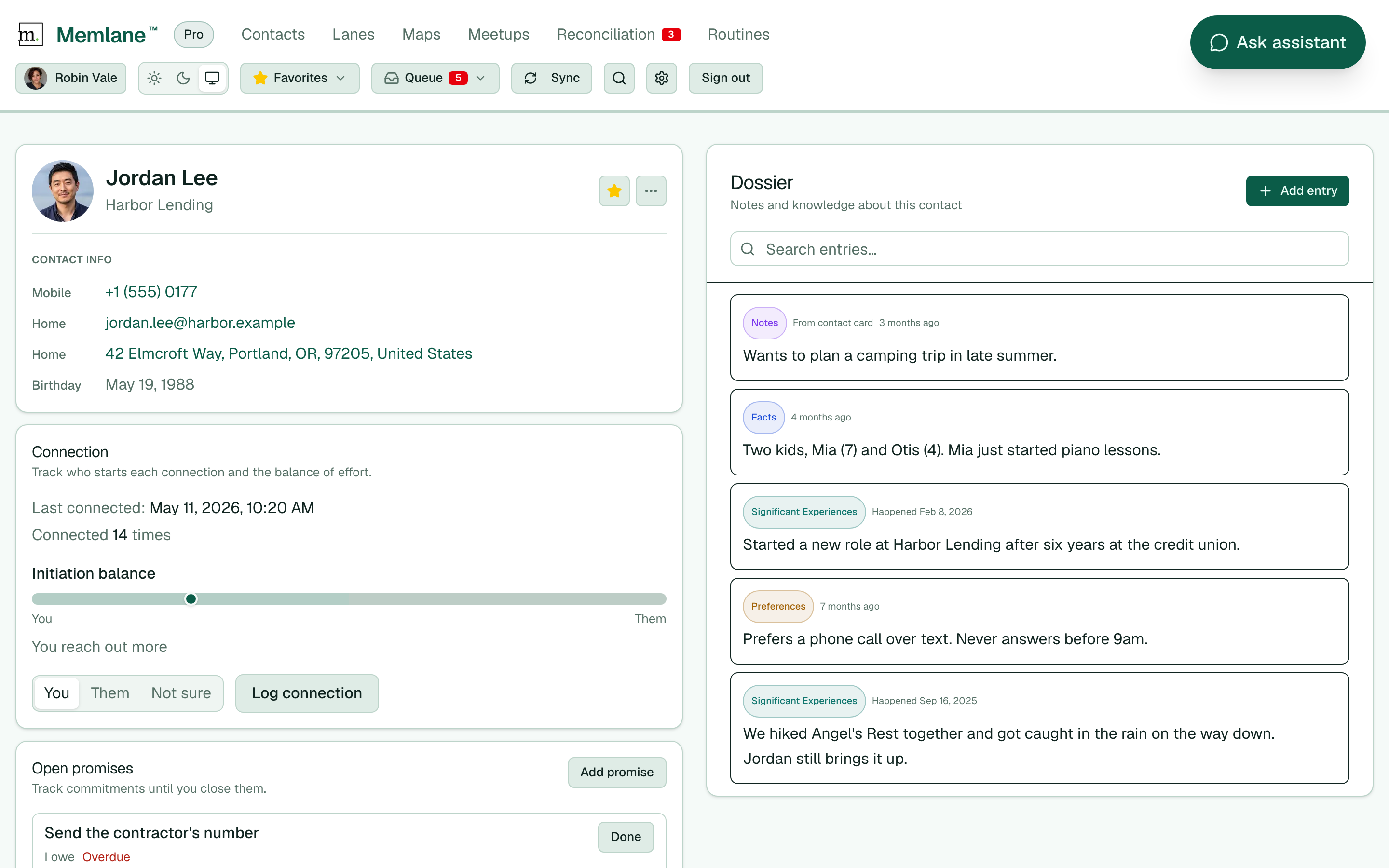
Each contact has a profile card with identity, Summary (Pro), Contact info, and Lists, with Do next beside it on wide screens. Memories and related people sit side by side below; activity follows.
- Open a contact from the contacts board or header search.
- At the top you see the photo (or initials), name, and company. On wide screens, Do next (connection, promises, reach-out) sits beside that card.
- On the same card, under Contact info, Memlane lists labeled phones, emails, addresses, and birthday when they exist. Lists shows which Contact lists this person is in.
- Tap a phone number to call, an email to compose mail, or an address to open Maps.
Edit the contact card
You can change card fields in Memlane. When iCloud or Google Contacts is connected, Memlane pushes the change to your address book.
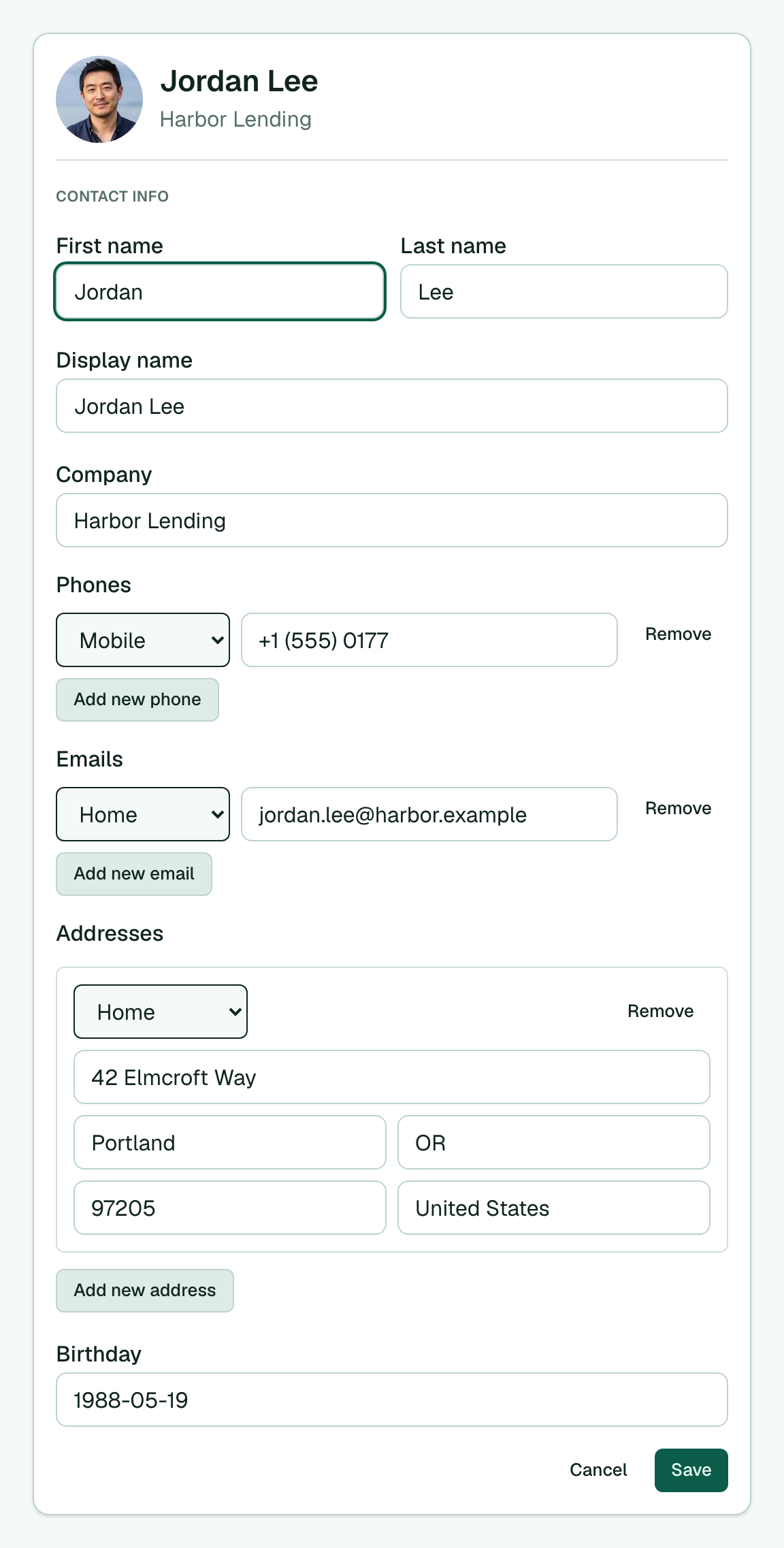
- On the contact page, choose Edit under Contact info.
- Change first name, last name, display name, company, or birthday.
- For phones, emails, and addresses, set the type (Home, Work, Mobile, and similar), edit the value, or choose Add new phone, Add new email, or Add new address.
- Choose Remove on a row you no longer need.
- Choose Save. Choose Cancel to leave without saving.
The AI assistant and Memlane MCP can update the same fields with update_contact. For phones, emails, and addresses, the tool replaces the whole list. To add one entry, the agent must pass the current rows plus the new one (see update_contact).
Where the data comes from
- iCloud or Google connected: Memlane saves your edits locally, then pushes them to your address book. Changes you make in Apple Contacts or Google Contacts still come back on the next sync.
- No sync yet: use Create contact on the Contacts board to add a name (required), plus optional company, phone, email, city, and birthday. Memlane saves locally first and pushes when you connect. See Connect iCloud and Connect Google Contacts.
If you edit a field in Memlane and sync later brings a different value for that same field, Memlane opens a Reconciliation task so you can choose which value to keep.
Why it matters
- Birthday on file powers the Birthday reminder routine. See Routines and Queue.
- Phones, emails, and company feed header search and the AI assistant.
- The profile sits with Contact memories, Related people, and Open promises on the same page.