
Reconciliation inbox
Resolve contacts that left your synced address book, pick field values when the same person exists in Memlane and in sync, or handle Apple cards Memlane could not read.
The Reconciliation inbox lists contacts that need a decision after sync changes. Today most tasks come from iCloud sync. The nav shows a badge with the open task count.
Unreadable Apple contact cards
When Memlane cannot read a card from Apple Contacts, it opens a task here and keeps syncing the rest of your address book.
- Open Reconciliation.
- Read the task message. It names the problem card when a name is available.
- Open Apple Contacts, then fix or delete that card.
- Wait for Memlane to sync again. A fixed card imports on its own and the task closes.
- Or select Keep for now to hide the task. Memlane still tries to read the card on later syncs, but does not reopen the task while it stays broken.
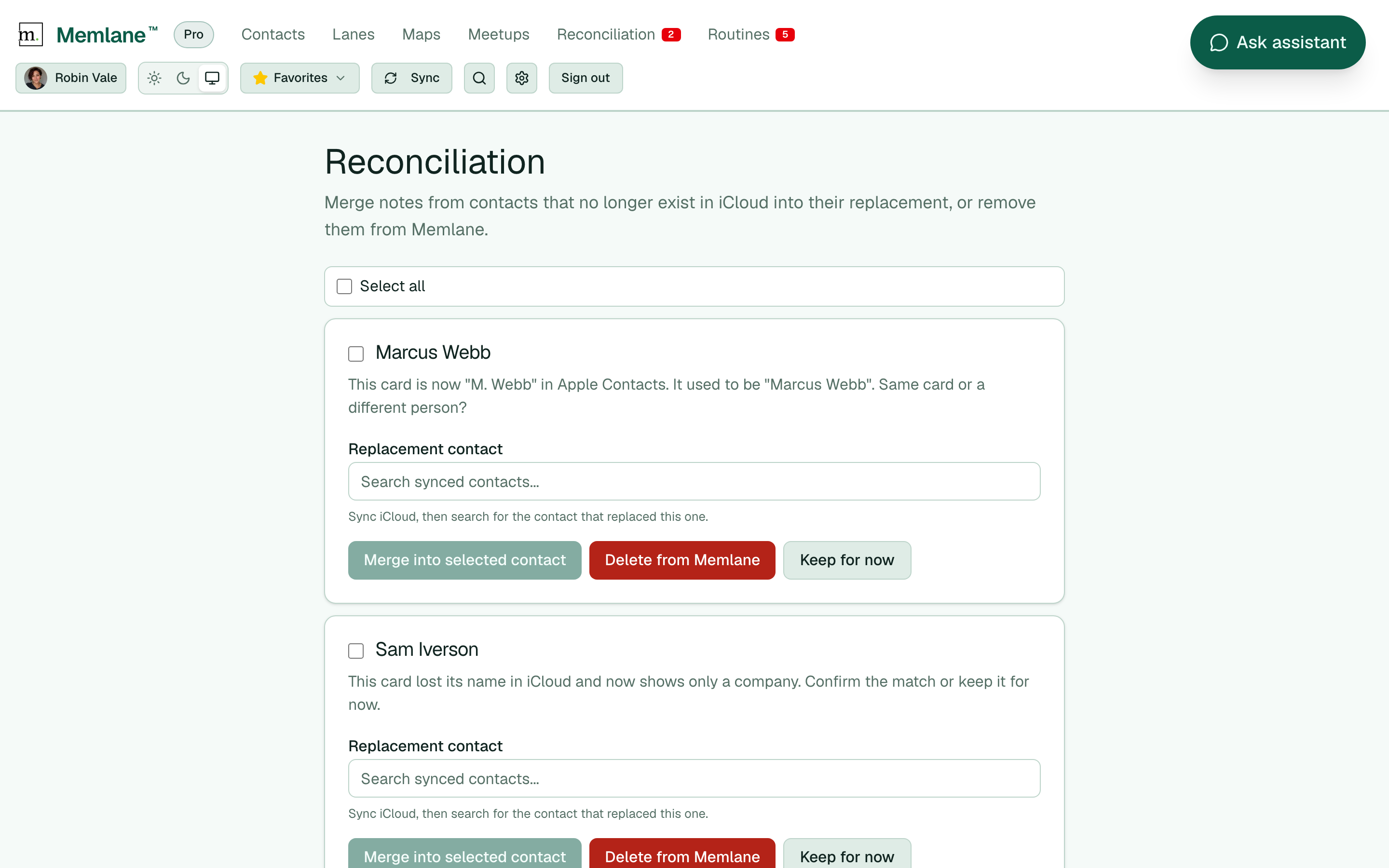
Contacts that left sync
- Open Reconciliation from the app navigation.
- Read the task message for each contact.
- Under Replacement contact, search synced contacts and select the person who replaced them.
- Select Merge into selected contact to move memories and notes into that contact.
- Or select Delete from Memlane to remove the contact and its notes for good.
- Or select Keep for now to dismiss the task without a merge or delete.
- Use Select all (or row checkboxes), then Keep for now or Delete from Memlane for bulk actions.
Same person, different details
When you connect iCloud or Google Contacts after you already added contacts, Memlane may find the same person on both sides with different field values. iCloud tasks label the synced side iCloud in the UI.
The same field picker also appears when you edit a card in Memlane and a later sync brings a different value for a field you changed. Memlane keeps your edit until you choose.
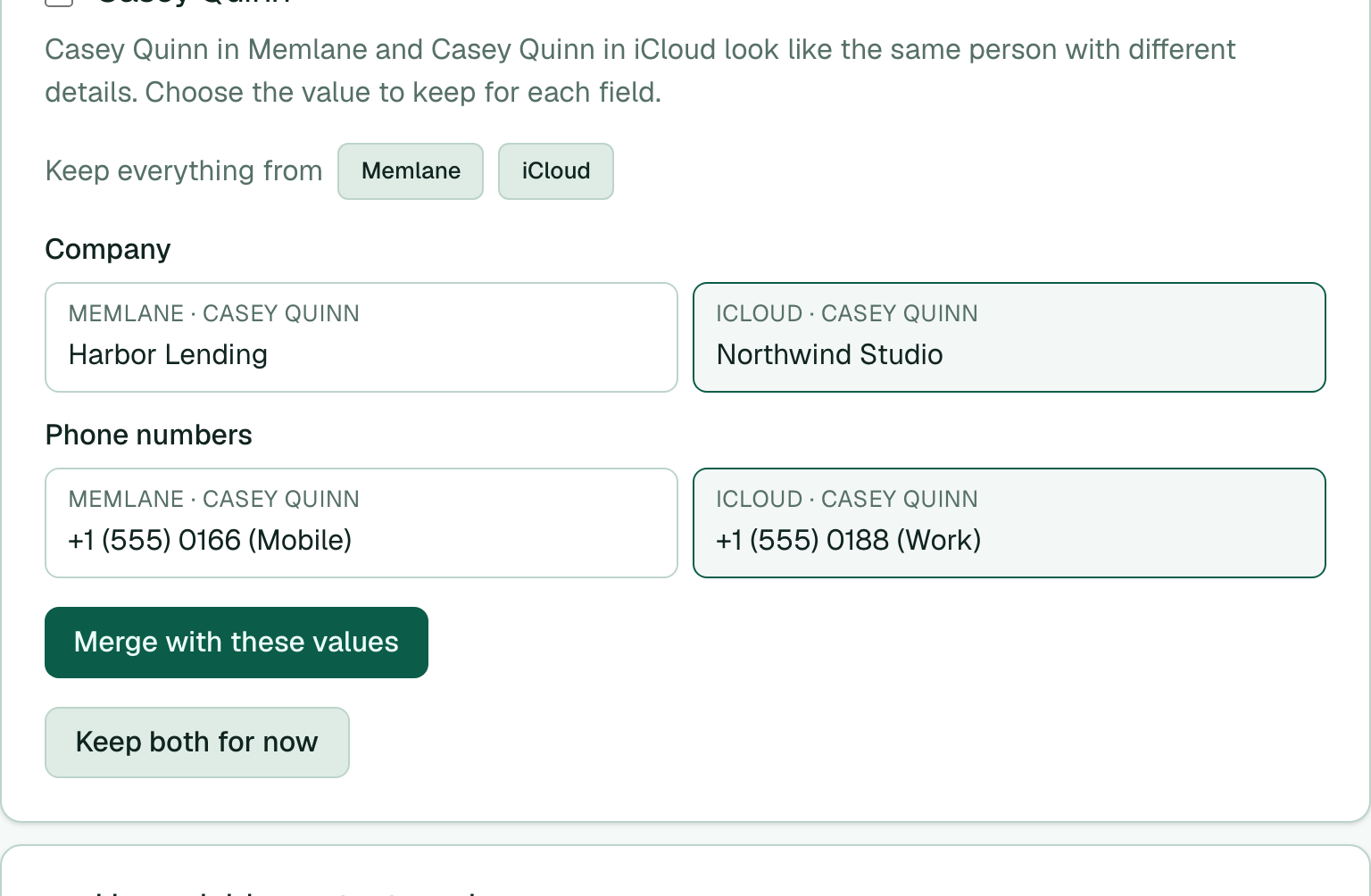
- Open the task. Each differing field shows the Memlane value and the synced value (labeled iCloud for Apple sync).
- Select the value to keep for each field. Use Keep everything from Memlane or iCloud to set all fields at once.
- Select Merge with these values. Memlane keeps one contact and pushes the chosen values to your address book.
- Or select Keep both for now to leave the two cards separate (connect-time ambiguous match only).
Sync contacts first if search finds no match. See Connect iCloud, Connect Google Contacts, and Contact memories.