
Contact AI summary
Memlane Pro writes a short durable dossier into address-book Notes and shows it on the contact card.
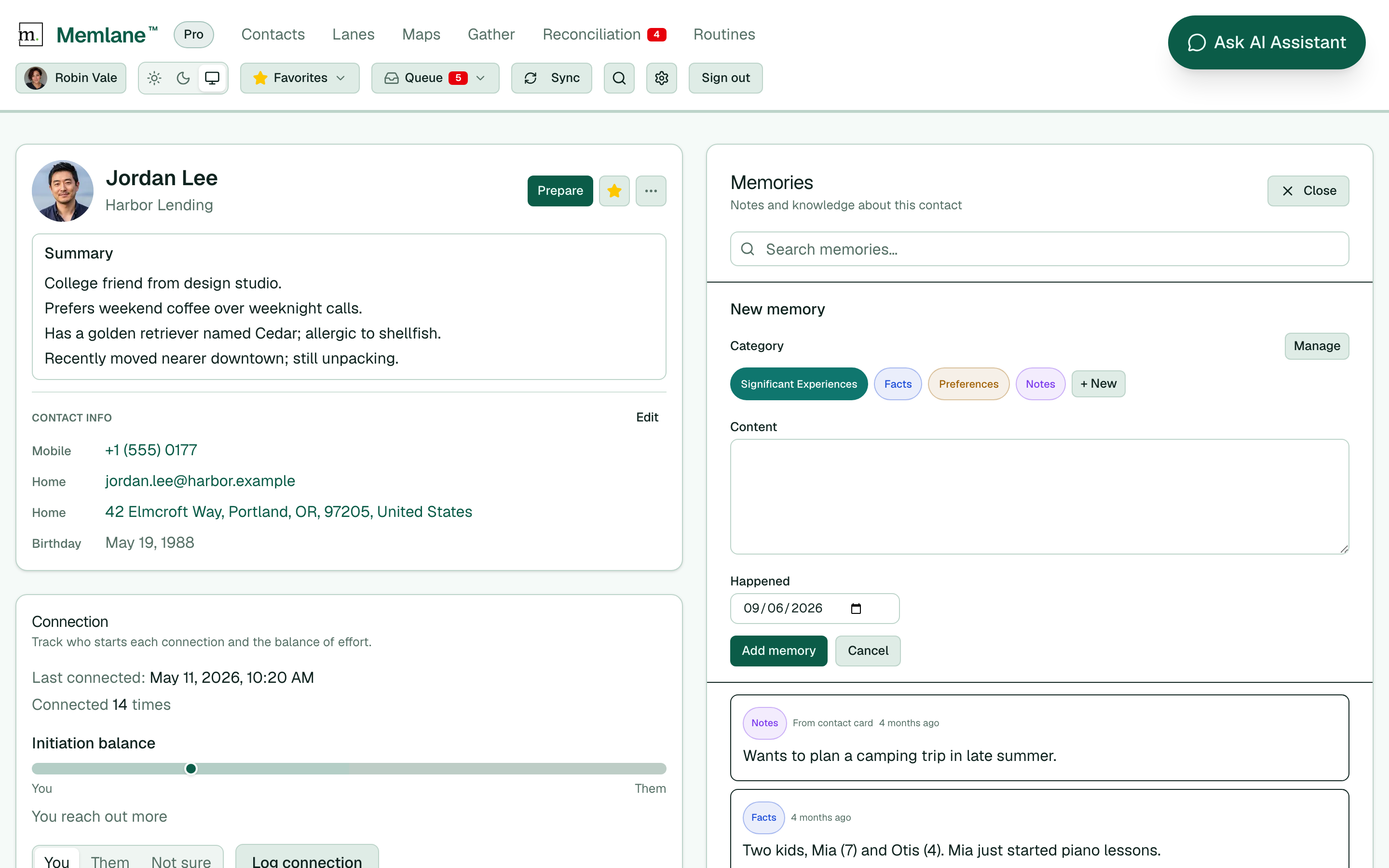
On Memlane Pro, Memlane builds a short Summary from a contact’s memories. It puts that text in a marked block at the top of the contact’s Notes field in Apple or Google Contacts, so you can read it on your phone without opening Memlane. The same text appears on the contact card in Memlane.
- Use Memlane Pro (see Memlane Pro).
- Add or edit Memories on a contact (not only Notes). After a short wait, Memlane refreshes the summary.
- On the contact page, read Summary under the name.
- On your phone, open the same contact in Contacts. The Notes field starts with --- Memlane summary --- and ends with --- End Memlane summary ---. Your own Notes stay below that block.
Memlane keeps edits you make inside the summary block when it refreshes, and updates the rest from new memories. Notes you write below the markers stay yours and still feed Ask AI. The summary stays short so contact cards do not grow too large. Memlane omits passwords, Social Security numbers, bank or card numbers, and similar secrets from the summary.
Related: Contact memories, Prepare for a sync-up (chat brief, separate from this Notes dossier).