
Contacts board
Arrange contact lists, move people between panels, and filter the board.
The Contacts board shows list panels and an Unassigned panel for people not on any list.
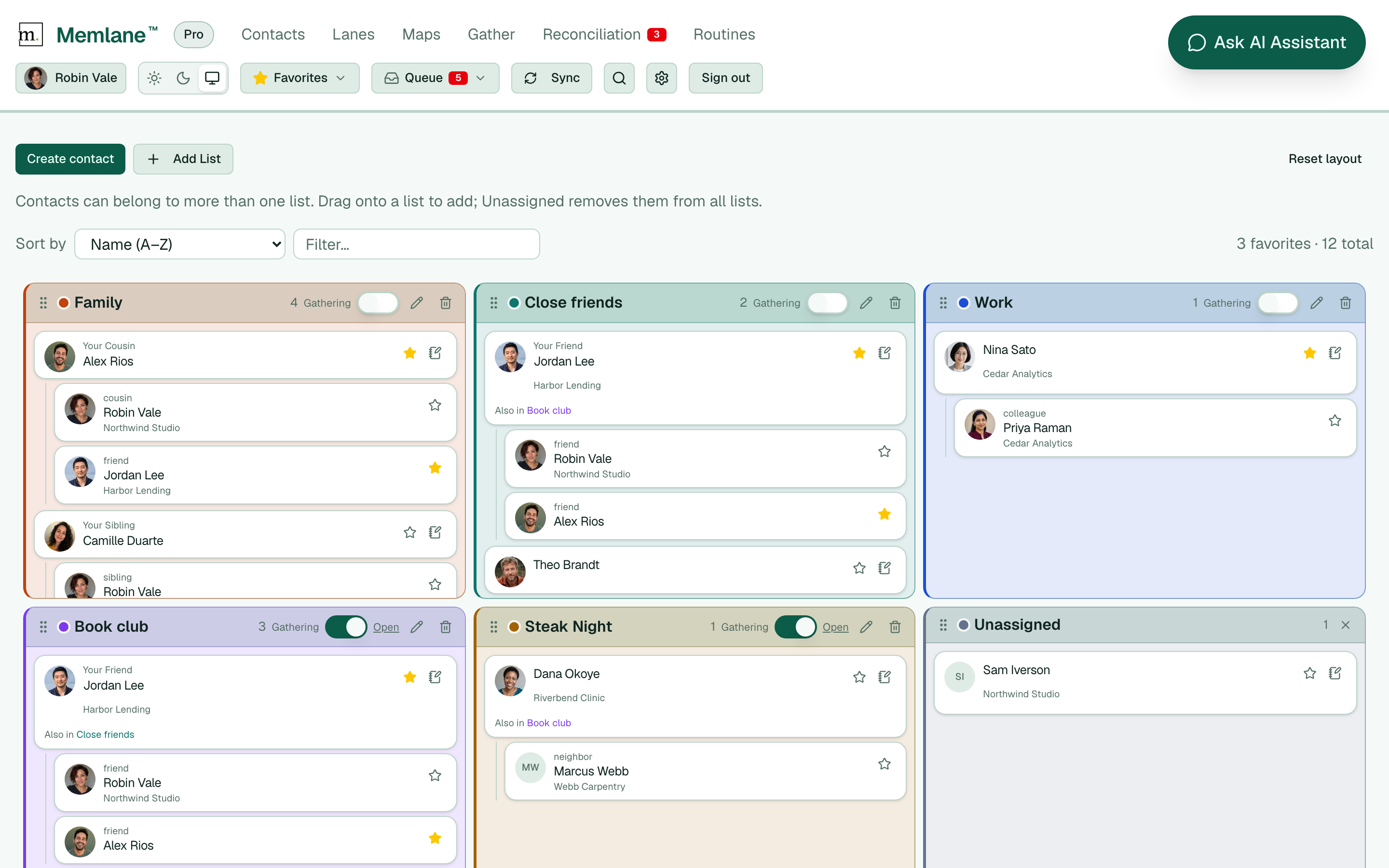
- Open Contacts from the app navigation.
- Choose Create contact to add someone, or Add List to create a list with New list name and Create. On Free, create stops when you already have your card plus 4 other people — upgrade in Memlane Pro. If Free still has open sync slots, a banner at the top asks you to connect more people.
- Drag a contact onto a list to add them. Drop on Unassigned to remove them from all lists.
- On desktop, drag a panel by its grip to move or resize it. Use Reset layout to restore the default arrangement.
- Rename a list with the pencil, change its color with the swatch, or delete it with the trash control.
- Use Sort by and Filter… to focus the board. On a card, open the notebook control for a Quick memory entry.
- To change phones, emails, or addresses, open the contact and choose Edit under Contact info. See Contact profiles.
- To remove someone completely, open their contact page, open the actions menu, and choose Delete contact. Memlane deletes them from your synced address book too when iCloud or Google Contacts is connected.
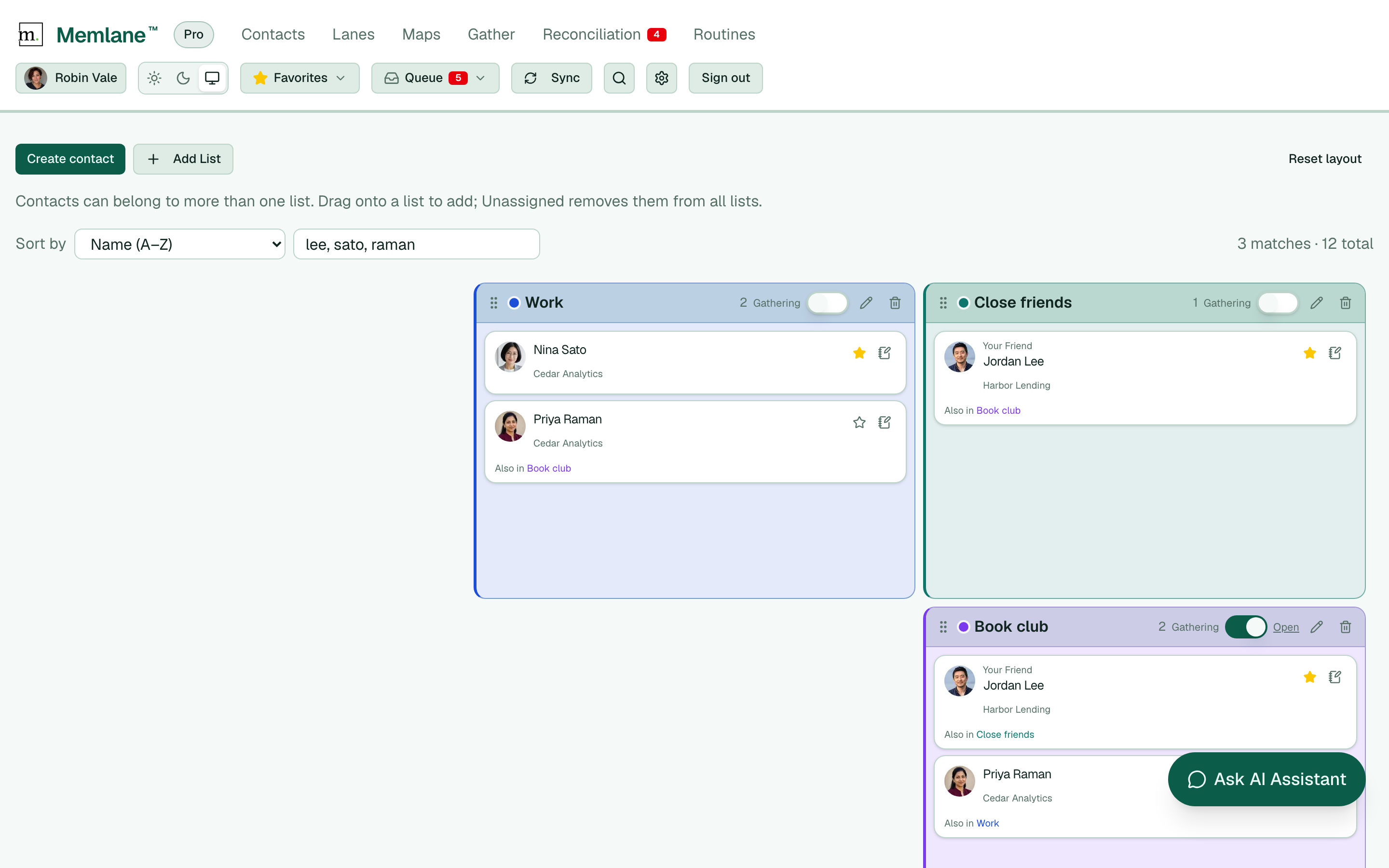
When a person links to your own contact card, their top-level board card shows Your {relationship} above the name (for example Your Father). Nested related people under that card still show how they relate to the parent. A contact can belong to more than one list. See Use contact lists, Related people, and Contact profiles.
If you have no contacts yet, a banner helps you Create contact or open Settings to connect iCloud or Google Contacts. New accounts pick a contacts source on first sign-in. See Choose how you manage contacts. See also Connect iCloud and Connect Google Contacts.