
Use contact lists
Organize people into lists (friends, family, work) that show up on your contacts board.
Contact lists group people without forcing a pipeline.
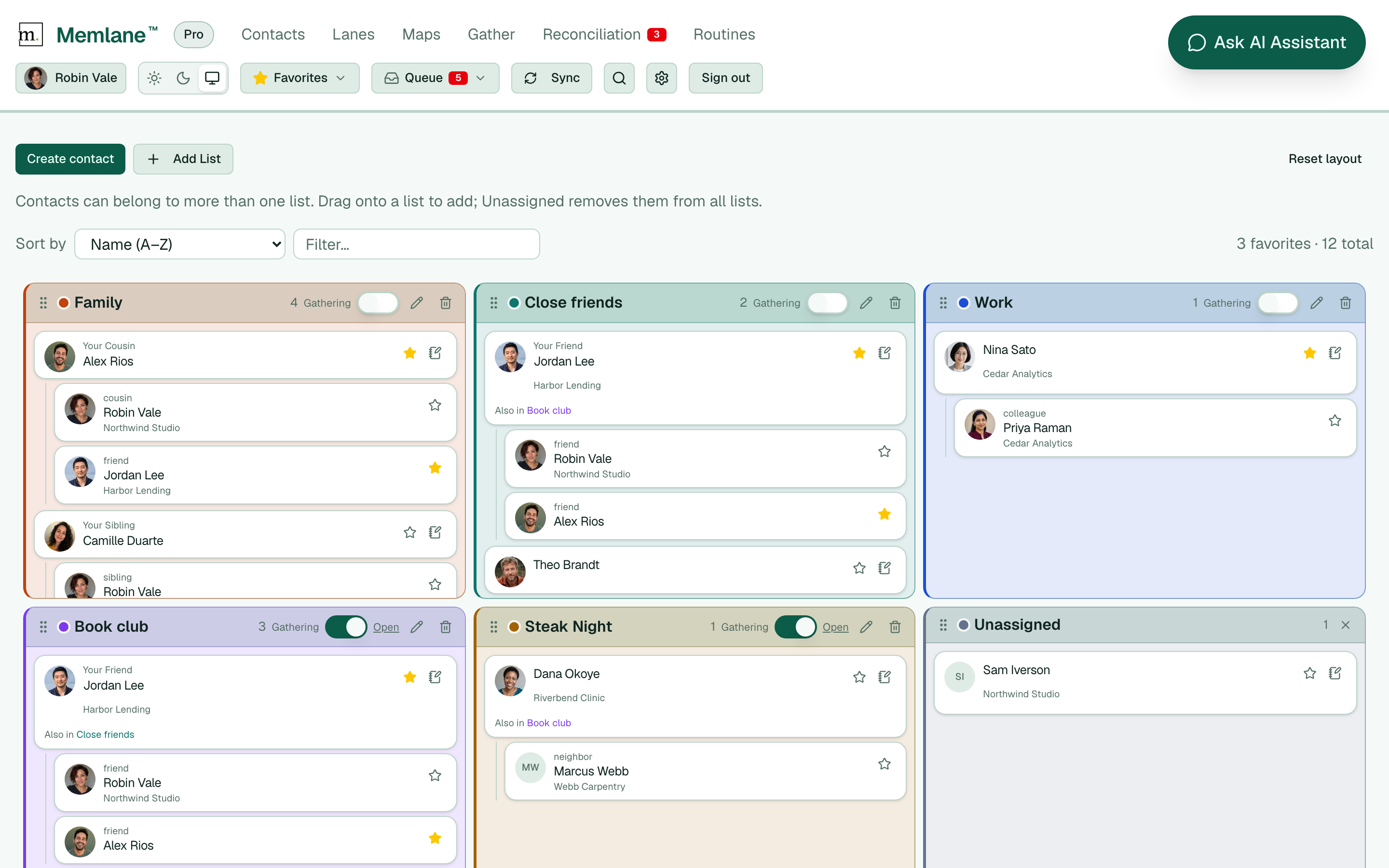
- Open a contact and find the lists editor.
- Add the contact to an existing list, or create a new list name.
- On the contacts board, filter or browse by list to focus on one group at a time.
You can put the same person on multiple lists when that matches how you think about them.
When Google Contacts sync is connected, Memlane maps each list to a Google Label and keeps memberships in sync both ways. With iCloud, lists map to Apple Contact groups.
The in-app assistant and a connected MCP agent can create a list, add people, and mark a list as a Gathering. See Connect an AI agent with MCP.