
Routines and Queue
Enable preset routines, edit schedules and contacts, and send outputs to your Queue.
Open Routines in the app navigation to manage scheduled jobs. Routine outputs land in the header Queue. See Use the Queue for how to read and clear items.
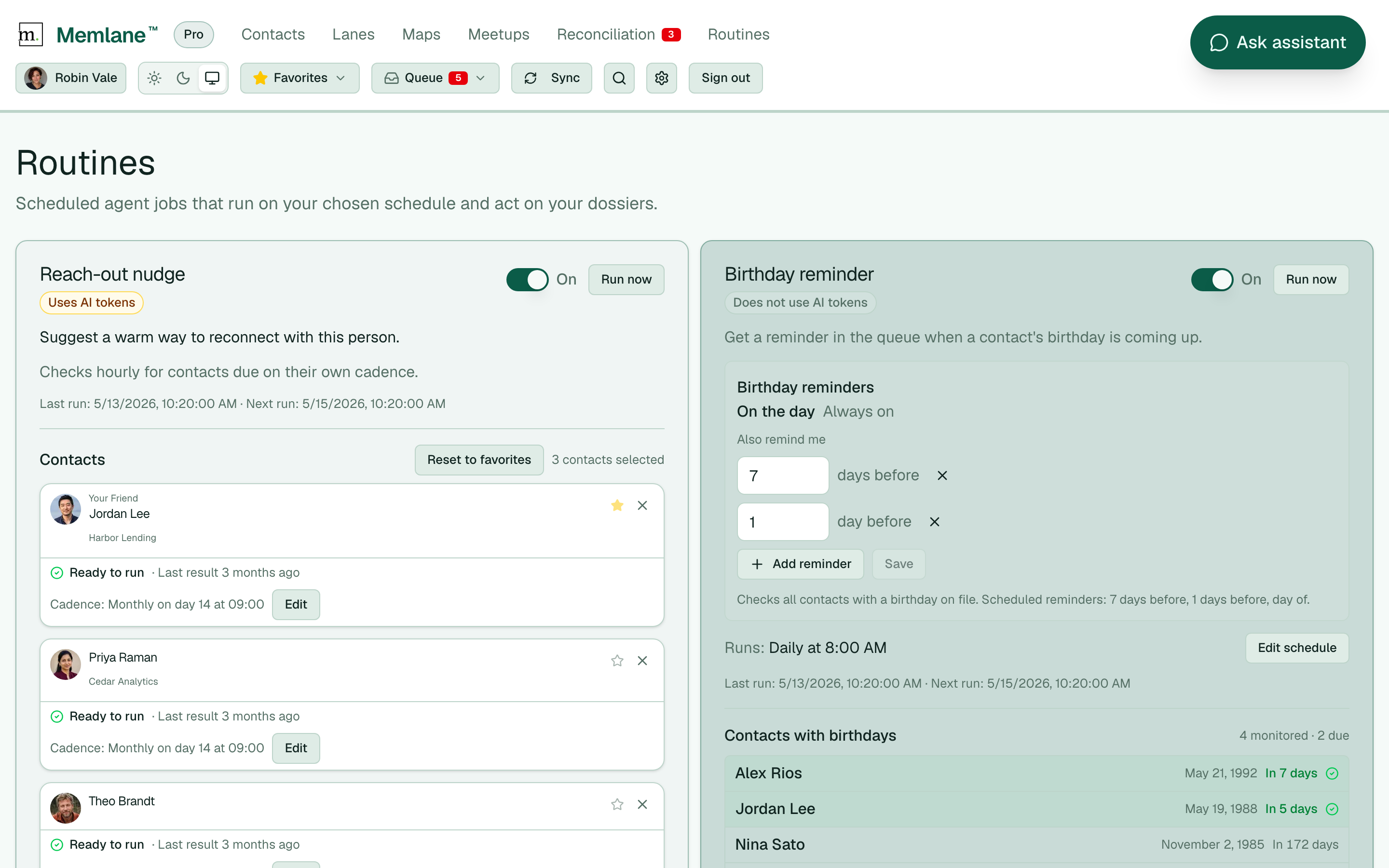
- Memlane seeds five presets: Reach-out nudge and Activity suggestion start Off; Birthday reminder, Open promises, and Cooling reminder start On.
- Turn a routine On or Off. Birthday reminder needs contacts with a birthday on file to post Queue items. Open promises can stay On with no promises yet. Cooling reminder tracks favorites by default.
- For Activity suggestion, select Edit schedule to change Daily, Weekly, or Monthly timing. Reach-out nudge checks hourly against each contact’s cadence.
- Under Contacts, select Add contact or remove people. On Reach-out nudge, select Reset to favorites to replace the list with everyone you have starred on the Contacts board. Favoriting someone also adds them to Cooling reminder; unfavoriting removes them. On Cooling reminder, the contact list is a compact scrollable roster (name, Momentum status, remove). Green Cooling means a Queue reminder can post on the next run. For Birthday reminder, On the day stays Always on; add lead days with Add reminder, then Save.
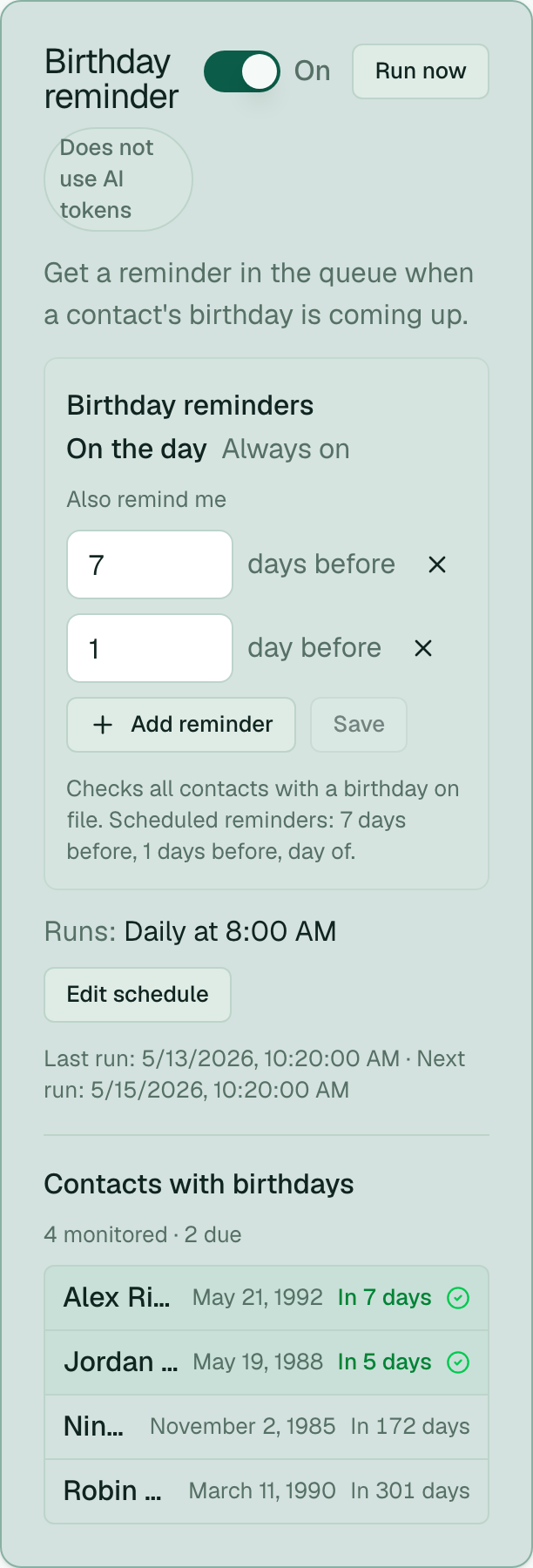
- Select Run now to run a routine immediately. AI-token routines (Reach-out nudge, Activity suggestion) allow Run now once per hour.
Birthday reminder slots stay done for that birthday year after you mark them Done in the Queue or use Clear queue. Run now will not create the same slot again until the next year.
Cooling reminder posts at most one Queue item per Cooling episode. After you clear it, the contact must leave Cooling and cool again before another item. When Reach-out and Cooling both apply, Memlane merges them into one Queue item. Momentum charts only appear for people on this routine. See Contact Momentum.
On Free, each AI-token routine can include at most 1 person. Upgrade in Memlane Pro for more.
See Use the Queue, Queue notifications, and Contact Momentum.