
Queue notifications
Get email or SMS digests when routines add items to your Queue.
Open Settings and find Queue notifications.
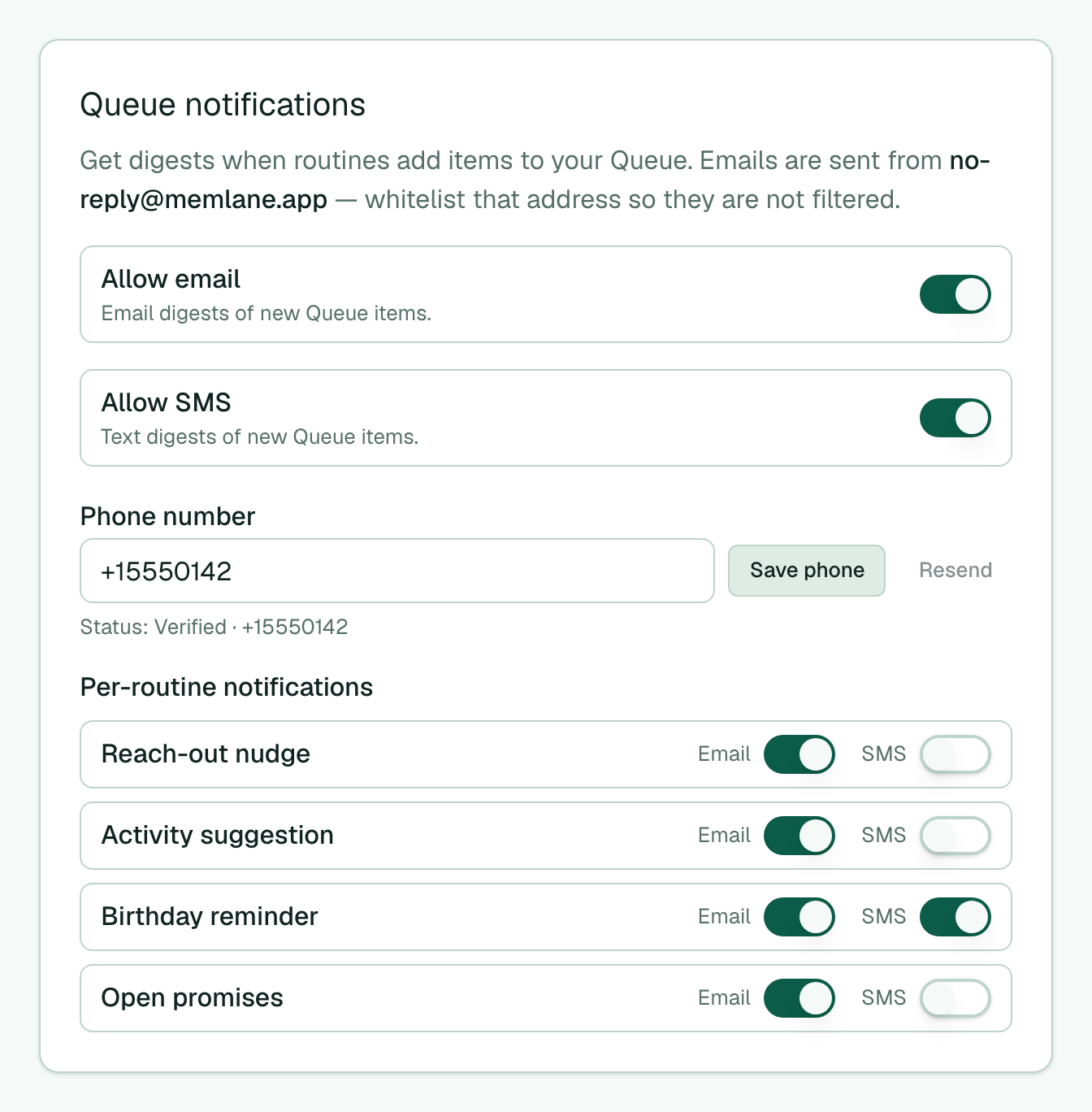
- Turn on Allow email to receive digests of new Queue items.
- Choose Email timing: Send as items arrive (about 5 minutes after the last new item) or Once a day at… (pick an hour). Memlane skips a day with no pending items.
- Queue SMS needs Memlane Pro. On Free, SMS controls stay locked with an Upgrade to Memlane Pro link.
- On Pro, enter a Phone number, select Save phone, then reply YES or CONFIRM to the verification text. Memlane replies with an opt-in confirmation (STOP / HELP included). Status shows Pending then Verified.
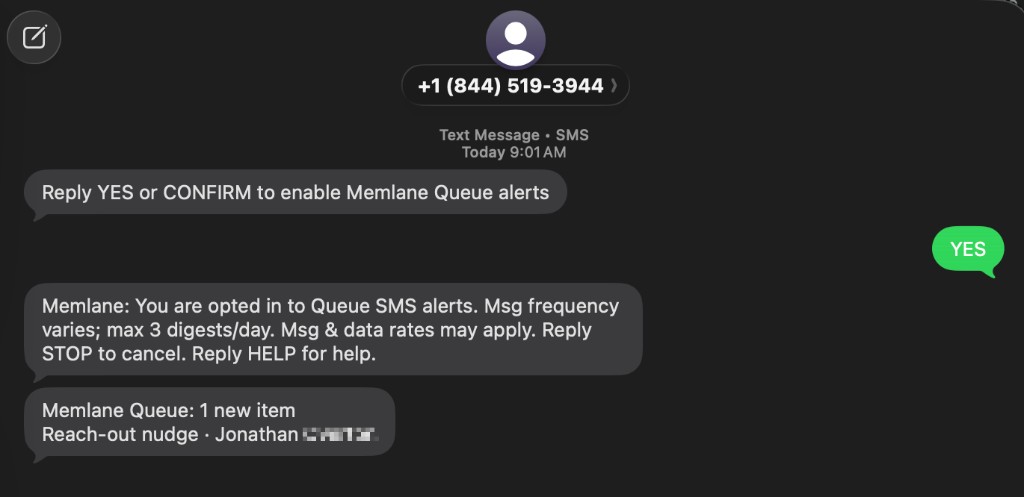
- After verification, turn on Allow SMS, then set SMS timing the same way (arrive or once a day). Email and SMS can use different timing.
- When either channel is once a day, set Digest timezone (separate from Gathering timezone). First daily save seeds 9:00 AM and your browser zone.
- Under Per-routine notifications, toggle Email or SMS for each routine.
- To stop SMS, turn off Allow SMS (or turn off SMS for specific routines), or reply STOP to a Memlane text.
Emails come from the From address shown in Settings. Whitelist it so digests are not filtered. Digests batch new Queue items; daily caps still apply (max 3 email and 3 SMS per UTC day).
Email digests use HTML with a plain-text fallback. Select Open Queue in the email to open the header Queue panel. See Use the Queue.