
Log a connection
Record who started a connection and see initiation balance on a contact page.
The Connection section on a contact page tracks the last time you connected, a simple count, and Initiation balance over the last 10 directed logs. Use it after a message, call, or in-person meeting. Memlane does not ask for a channel type.
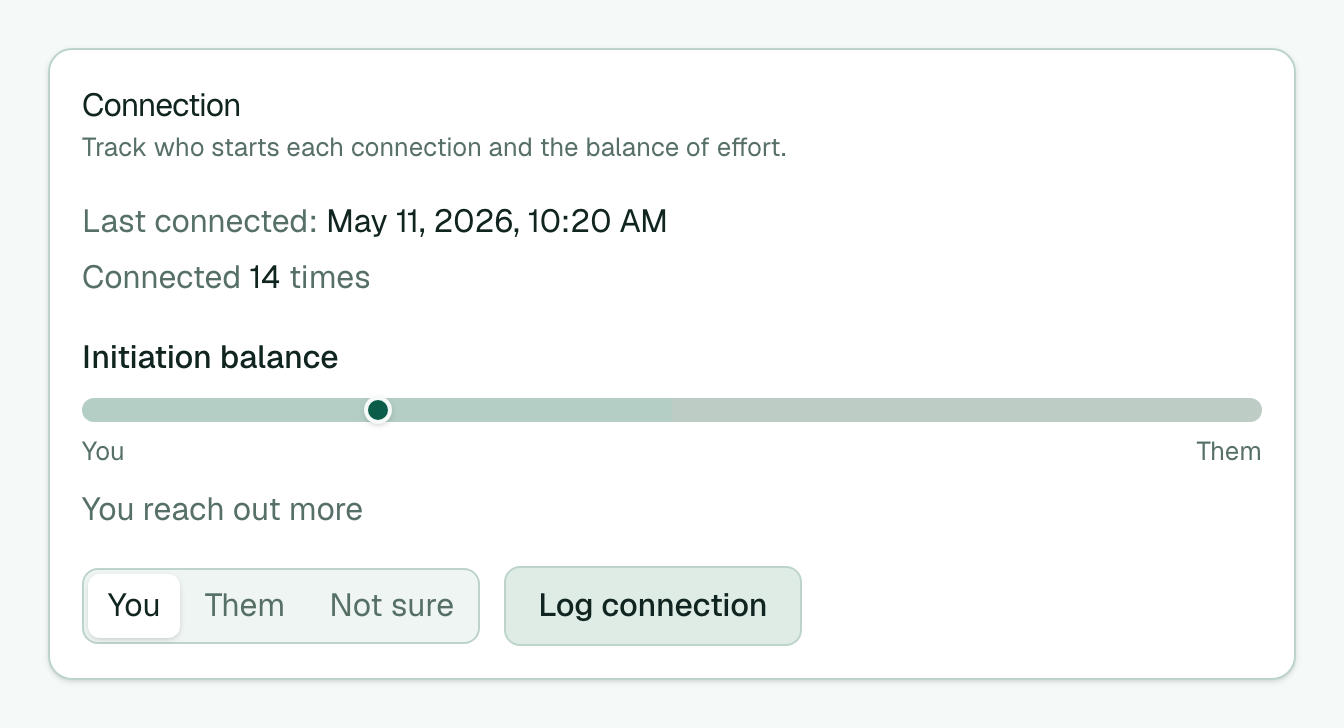
- Open a contact from the contacts board.
- Find the Connection section on the contact page.
- Under Who started it, keep You (default), or choose Them or Not sure.
- Select Log connection.
- Check Last connected, the Connected count, and Initiation balance. The bar appears after a few directed logs.
Marking a Reach-out nudge item Done in the Queue also logs a connection as you started it. Logging helps reach-out schedules skip someone who is still in their cadence window. After a log, Memlane can ask Close any promises? if that contact has open promises. See Open promises.
Tip: Momentum on the contact page and Contacts board uses these logs (plus memories) for people on Cooling reminder. One log in the last four weeks clears Cooling. See Contact Momentum. For note + next date in one step, use Quick Log.