
Contact Momentum
See 90 days of weekly activity for people on Cooling reminder, and get a Queue nudge when they start Cooling.
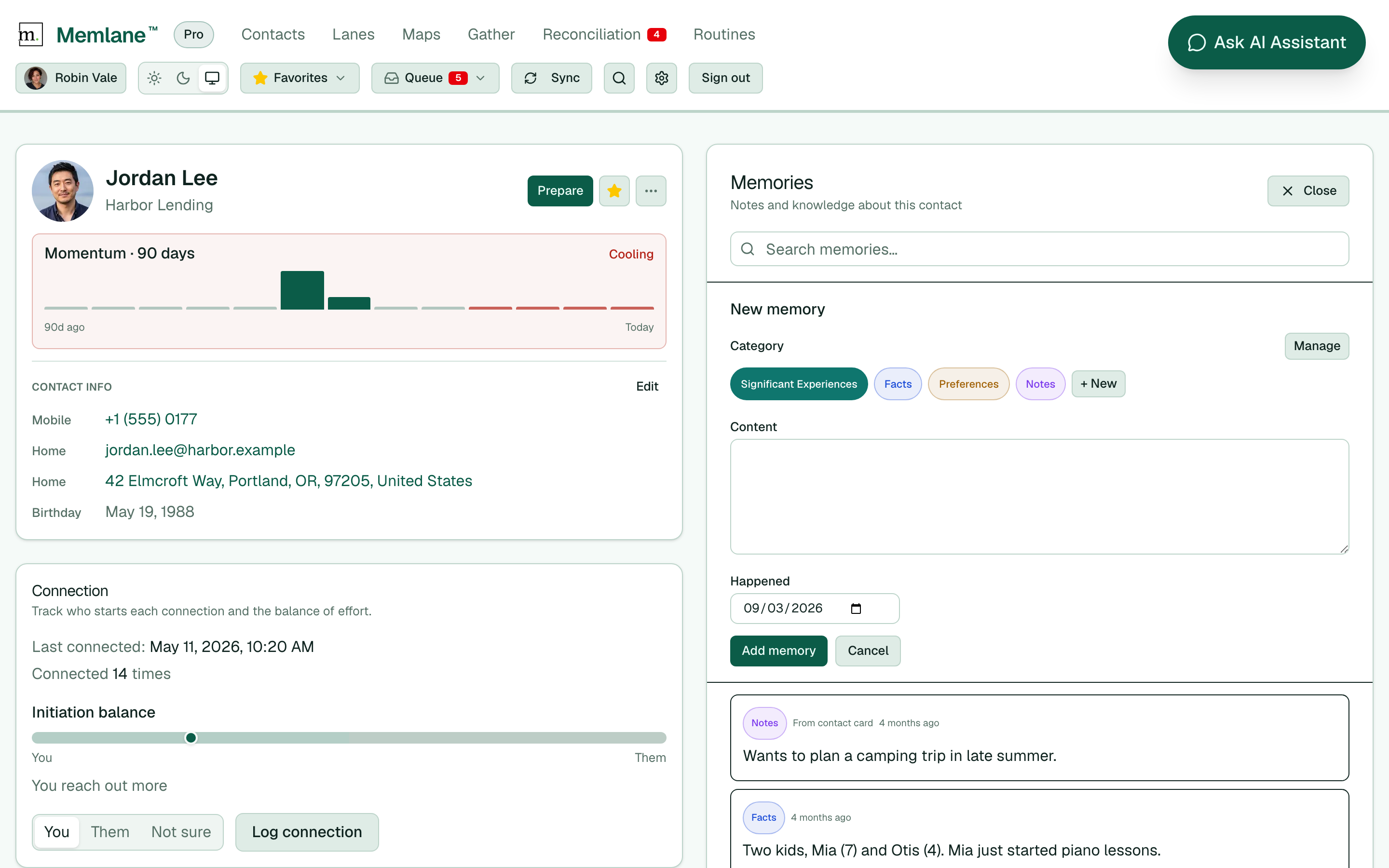
Momentum shows spikes and quiet weeks from logged connections and memories. Memlane shows it only for contacts on the Cooling reminder Routine (favorites join by default).
- Star someone as a favorite, or open Routines → Cooling reminder and add them under Contacts (compact scrollable list).
- Open the contacts board. On those people, weekly bars sit to the right of the name when the card is wide enough.
- Open a contact on Cooling reminder. Under the name, find Momentum · 90 days with status Active, Steady, or Cooling.
- Read left to right as older weeks to today. Tall bars mean more activity that week.
- When status is Cooling, recent weeks went quiet after earlier activity. The Cooling reminder Routine puts one item in the Queue for that episode (merged with Reach-out nudge when both apply).
- To clear Cooling, log a connection with Quick Log or Log connection in the Connection area. One connection in the last four weeks ends the Cooling status.
Tip: Remove a favorite from Cooling reminder on Routines if you want Momentum and Queue nudges off for them. Unfavoriting also removes them from that Routine.