
Use the Queue
Open the header Queue from any page, act on routine reminders, and clear items when you are done.
The Queue holds pending outputs from your Routines: reach-out nudges, birthday reminders, activity ideas, open promises, Cooling reminders, and Gathering reminders. Open it from the header on any page.
After you finish the contacts source step, Memlane places one welcome card in the Queue so you can see how it works. That card does not send email or SMS. Mark it Done when you have read it.
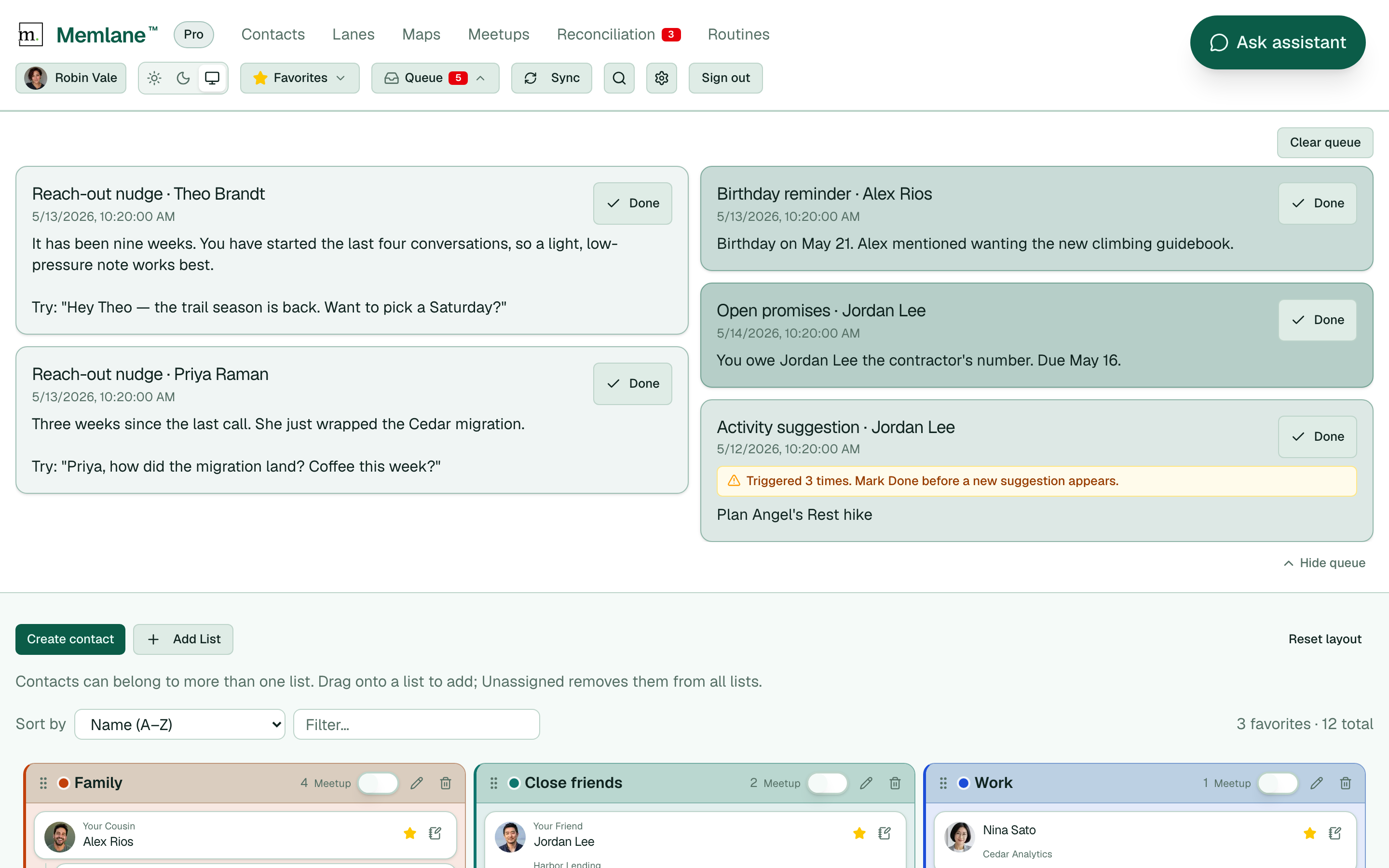
- Select Queue in the header. The panel opens under the nav. A red count on Queue shows how many items are pending.
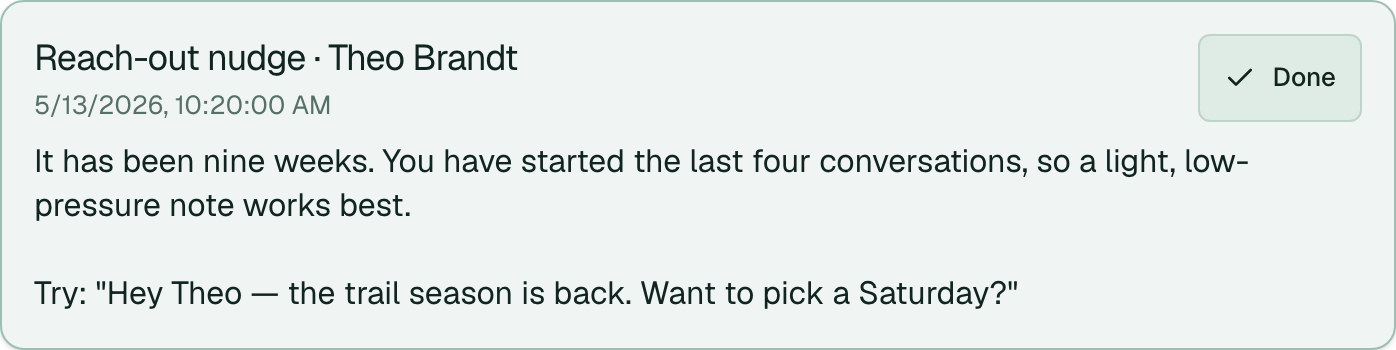
- Read each card. The title shows the routine name and a contact link when the item is about one person. A star before the name marks a favorite. The body has context and, for reach-out nudges, a draft message you can send.
- Select Done on a row when you have acted. Clear queue marks every item done at once. On a Gathering reminder, select Skip to mark that gathering Skipped and remove the item, or Done to remove the item only.
- Select Hide queue at the bottom of the panel, or Queue again in the header, to close it. Your open or closed choice is saved. Press Escape to close the panel.
Sections
The Queue groups cards into Overdue, Today, and Earlier. A card is Overdue when a routine fired again for it, or when it waited more than 3 days. Today holds cards from the last 24 hours. Earlier holds the rest. Favorite people come first in each group. A group with no cards does not show.
What Done does
- Reach-out nudge: also logs a connection as you started it.
- Open promises: closes the linked promise. See Open promises.
- Birthday reminder: clears that reminder slot for the birthday year.
- Cooling reminder: dismisses the item only (no connection log). If the item was merged with Reach-out, Done follows Reach-out rules and logs a connection.
Notes on the card
When you have started most of the last ten connections with someone, a reach-out item can note that pattern and suggest a lighter tone. When someone on Cooling reminder goes quiet, the Queue can show a Cooling line alone or merged into a Reach-out card. See Contact Momentum.
If Activity suggestion runs again before you mark an item Done, Memlane moves that item to Overdue and shows how many times it was triggered. Mark Done before a new suggestion appears for the same contact.
When the Queue is empty, nothing is due yet, or an AI routine you want is still Off. Birthday reminder, Open promises, and Cooling reminder start On. Manage all presets on the Routines page. See Routines and Queue.
You can keep using the app while work runs in the background. The activity banner shows saves, loads, and contact-sync jobs under the header.
For email or SMS digests when new items arrive, see Queue notifications.