
Gather
Mark a Contact list as a Gathering, set its schedule, manage people, and record gatherings.
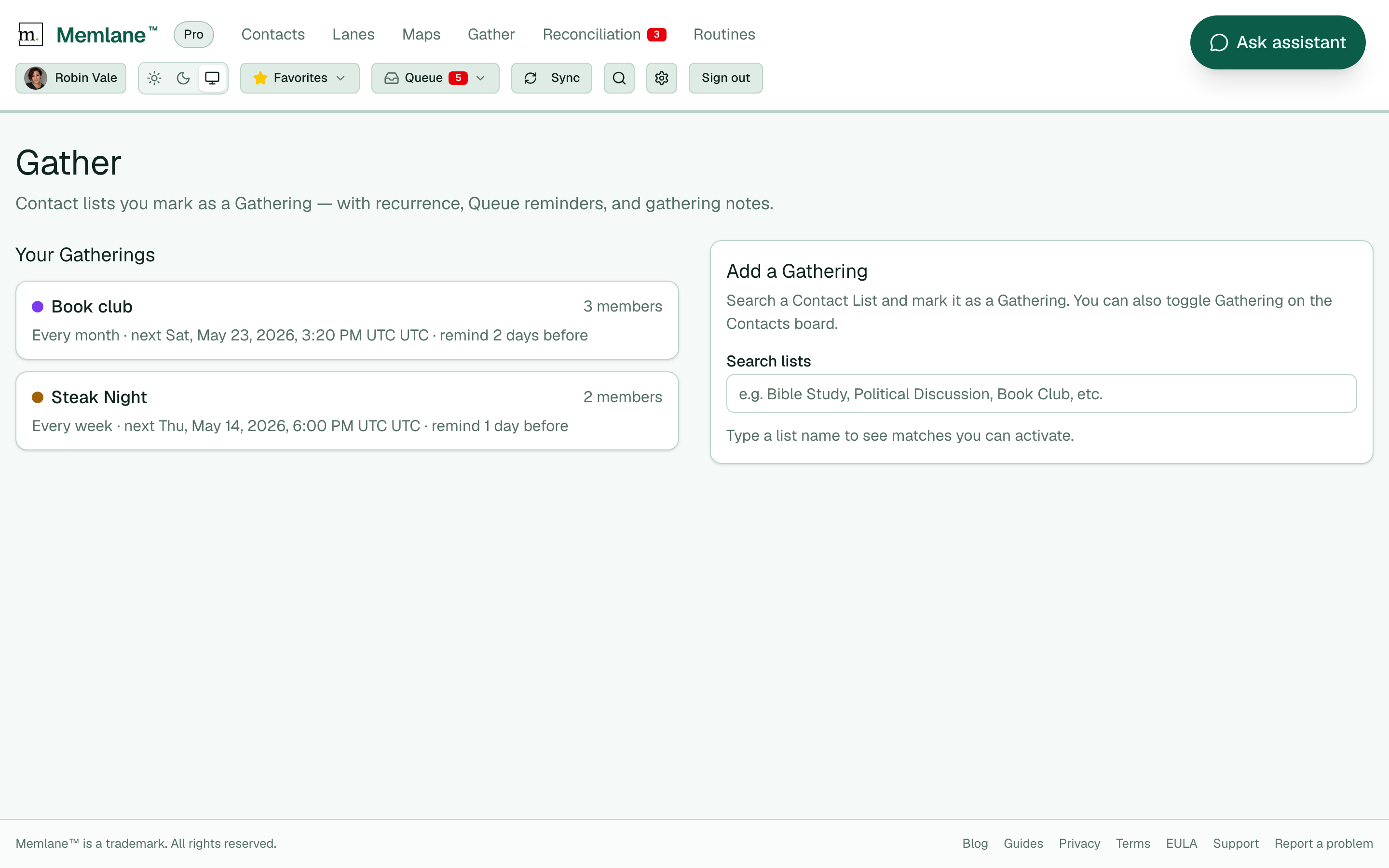
Gather is the page for Contact lists you mark as a Gathering, with Queue reminders and gathering notes.
-
Open Gather from the app navigation.
-
Optional: select Calendar sync settings to open Settings at the calendar section (Google Calendar, Apple Calendar, or ICS). See Sync Gatherings to calendars.
-
Under Add a Gathering, search a list, then select Mark as Gathering. If no list has that exact name, select Create “…” as Gathering to create the Contact list and mark it in one step. You can also toggle Gathering on the Contacts board.
-
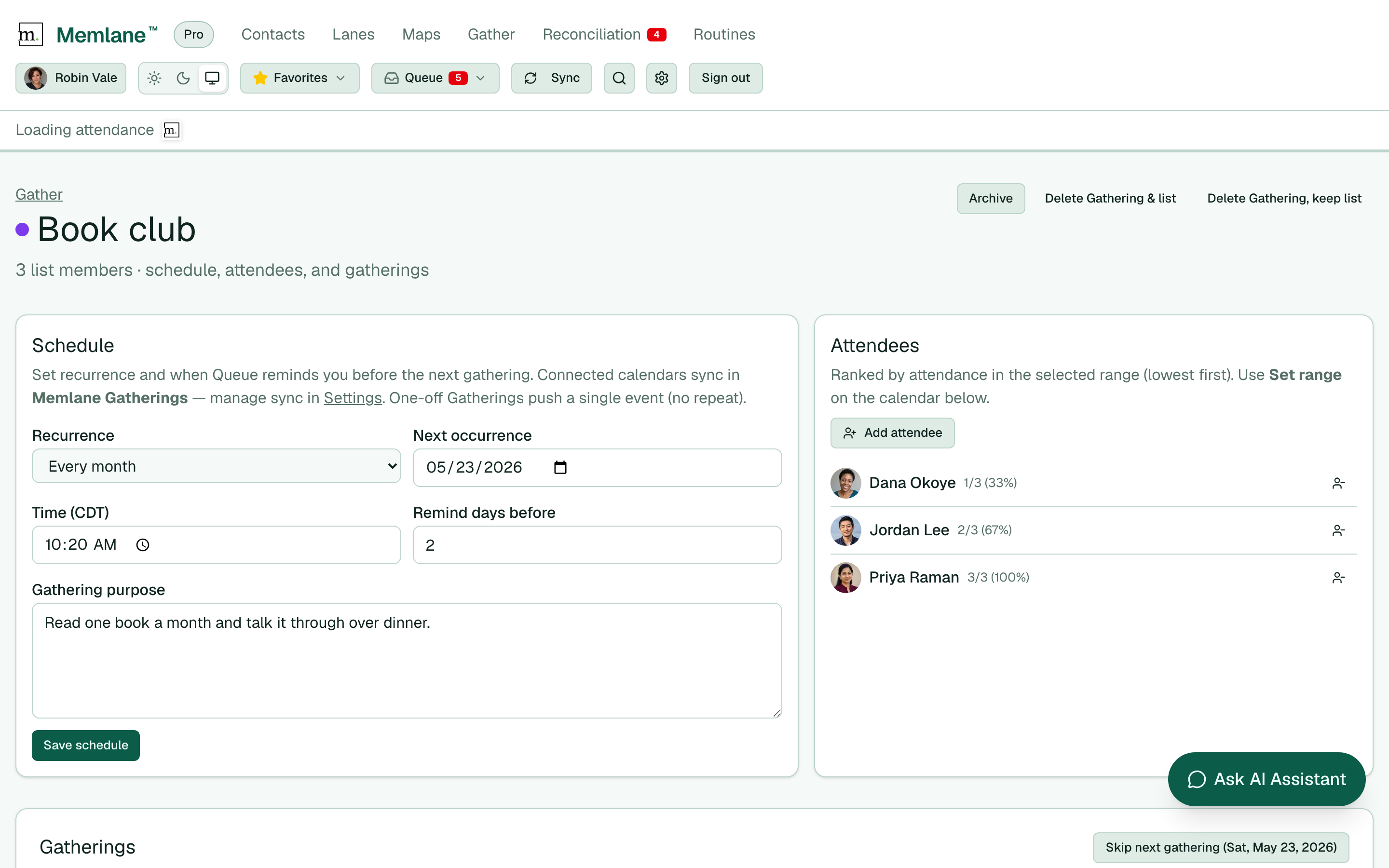
Open the Gathering. Under Schedule, set Recurrence (Every week, Every month, or Once), the date and time (device timezone, or your Settings → Timezone override), Remind days before, and Gathering purpose.
-
Select Save schedule. Connected calendars (Google Calendar / Apple Calendar) and the private ICS feed update — weekly/monthly as a recurring series, Once as a single event. See Sync Gatherings to calendars.
-
Under Attendees (beside Schedule on wide screens), review who is on the Gathering list. Attendees are ranked by attendance rate in the selected date range (lowest first). Select Add attendee to search and add someone, or remove someone from the list. You can still manage the same list on the Contacts board.
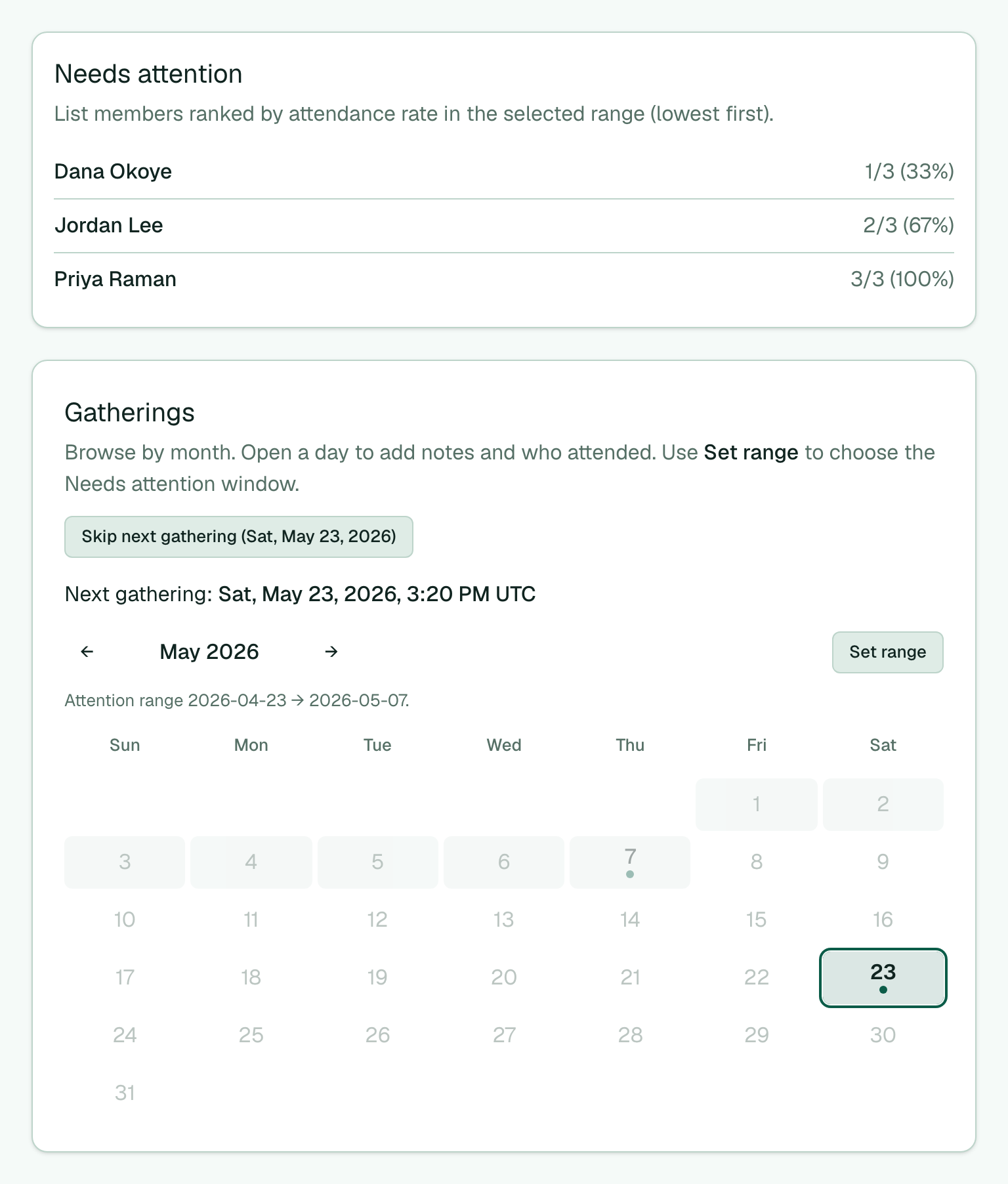
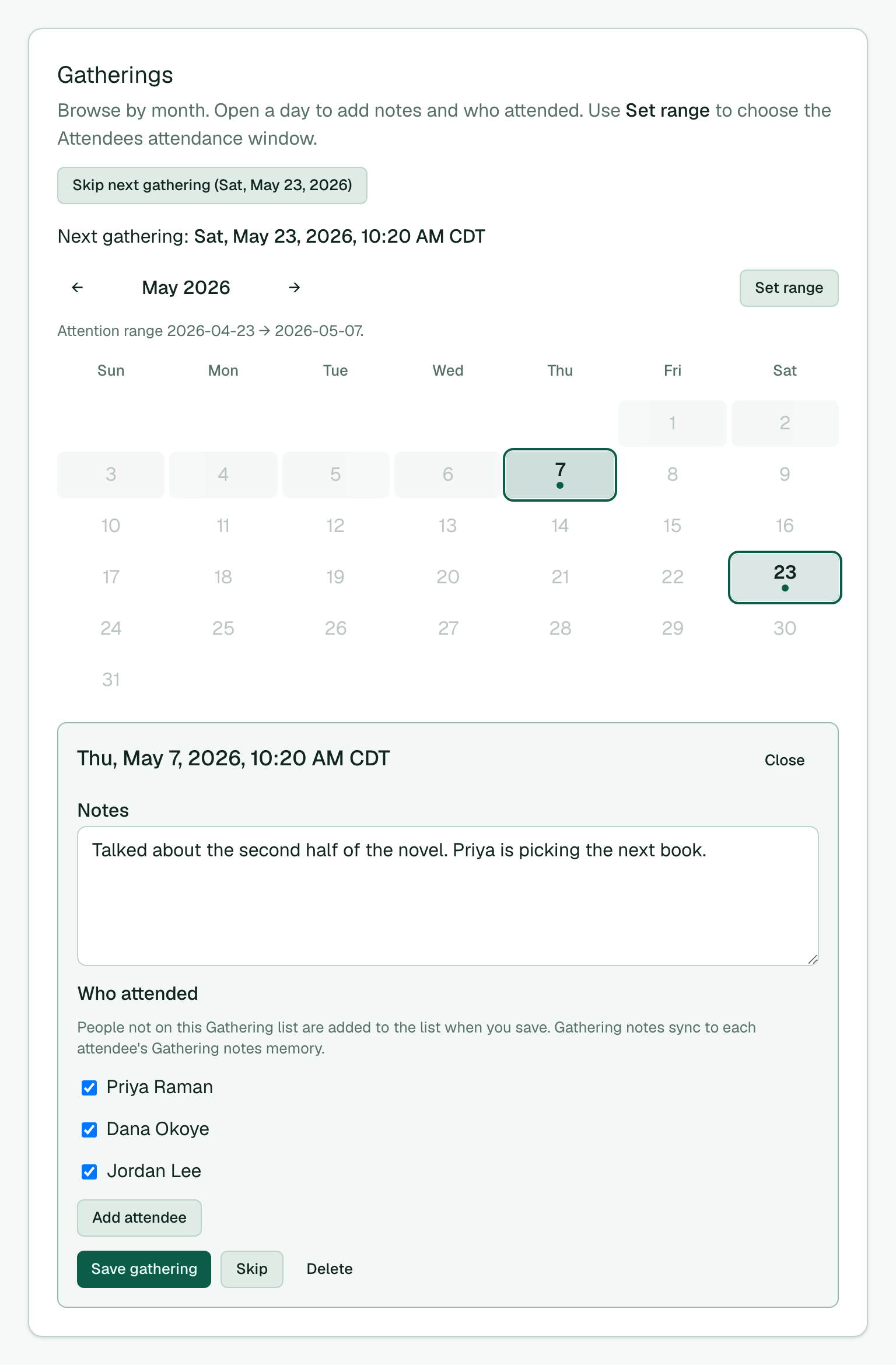
- Under Gatherings, the line Next gathering shows the scheduled date and time in your local time. The calendar marks that day when it is in the month on screen. Use the month calendar to browse past gatherings. Select a day with a marker to open Notes and Who attended (use Add attendee to search any contact; people not on the Gathering list join the list when you save), then select Save gathering. Memlane writes a linked Gathering notes memory entry on each attendee and keeps it in sync with the gathering notes. If that date did not happen, select Skip. To skip the upcoming date before it fires, select Skip next gathering (the button shows that date). For a Once Gathering, skip/remind does not schedule another date.
- To change the Attendees attendance window, select Set range, then pick a start day and an end day on the calendar (you can move months between the two clicks).
- Select a marked day to open that gathering. Edit Notes and Who attended, then select Save gathering.
-
On a Gathering reminder in the Queue, select Skip to mark that gathering Skipped and clear the Queue item, or Done to clear the item without changing the gathering.
-
To hide a Gathering without deleting history, select Archive. It leaves the Gather list and Contact lists UI. Memberships stay so you can restore. Contacts are not deleted. On Gather, open Archived and select Restore to bring it back.
-
To remove a Gathering for good, select Delete Gathering & list (removes the Contact list too) or Delete Gathering, keep list (list stays as a normal Contact list). Confirm dialogs state that contacts are not deleted. Delete removes the schedule, pending Gathering Queue reminders, gatherings, and attendance.
Lists still work as Contact lists after you keep the list on delete. See Use contact lists, Use the Queue, and Routines and Queue.
The in-app assistant and a connected MCP agent can create a Gathering by name (same as Create “…” as Gathering), add people, and change the schedule. See Connect an AI agent with MCP.