
Sync Gatherings to calendars
Push Gather schedules to Google Calendar and Apple Calendar, or subscribe with a private ICS feed.
Memlane can mirror each Gathering on a dedicated Memlane Gatherings calendar — weekly/monthly as a recurring series, Once as a single event. You can also subscribe with a private ICS URL. Events are for you only. Memlane does not invite list members. Skip in Memlane does not change the external series.
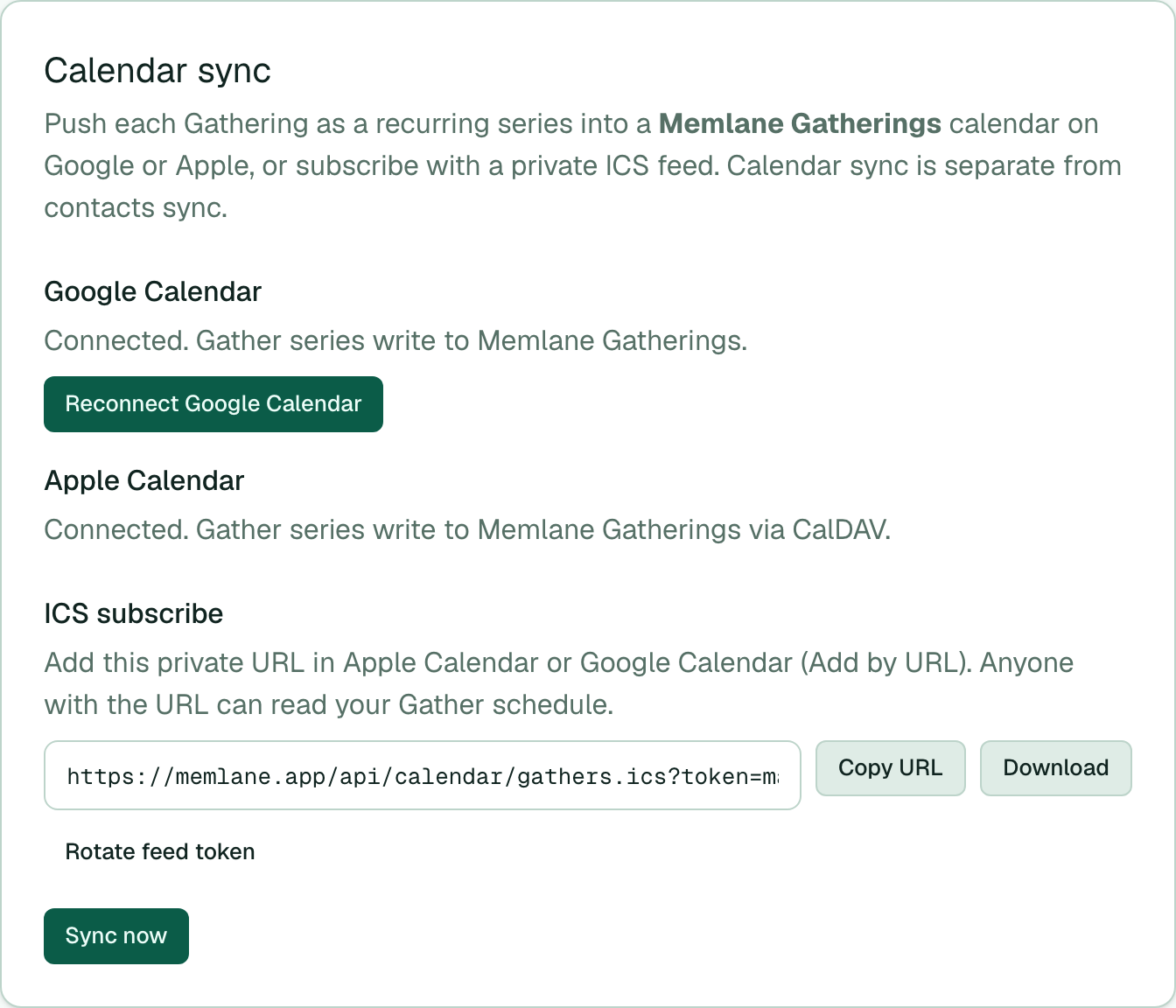
- Open Settings.
- Under Calendar sync, select Connect Google Calendar and finish Google consent. Memlane creates or reuses Memlane Gatherings on Google Calendar.
- For Apple Calendar, connect iCloud with an app-specific password (same credentials as contacts). Then select Sync now (next to the Calendar sync title) so Memlane creates Memlane Gatherings via CalDAV. That sync also pushes to Google Calendar when it is connected.
- Optional: under ICS subscribe, select Copy URL and add the feed in Apple Calendar or Google Calendar (Add by URL), or select Download. Select Rotate feed token if you need a new private URL.
- Open a Gathering, set the Schedule, and select Save schedule. Times use your device timezone, or the override under Settings → Timezone. Connected calendars update (2-hour events from the schedule start; Google uses your Settings override when set, otherwise your Google Calendar timezone). Weekly and monthly use a recurring series; Once is a single event.
- To remove Google Calendar sync, select Delete calendar under Google Calendar (shown whenever Calendar is connected). That deletes Memlane Gatherings on Google when it exists and disconnects Calendar access. Under Apple Calendar, Delete calendar removes the CalDAV calendar when Memlane has created it. Your Gatherings in Memlane stay.
Calendar sync is separate from contacts sync. You can use iCloud for contacts and still connect Google Calendar.
See Gather for schedule and attendance.