
Open promises — track what you owe and what is owed
Log open promises on each contact with optional due dates. Memlane reminds you in the Queue so small commitments do not slip.
Open promises keep small commitments from slipping: send a book, make an introduction, or follow up on a favor.
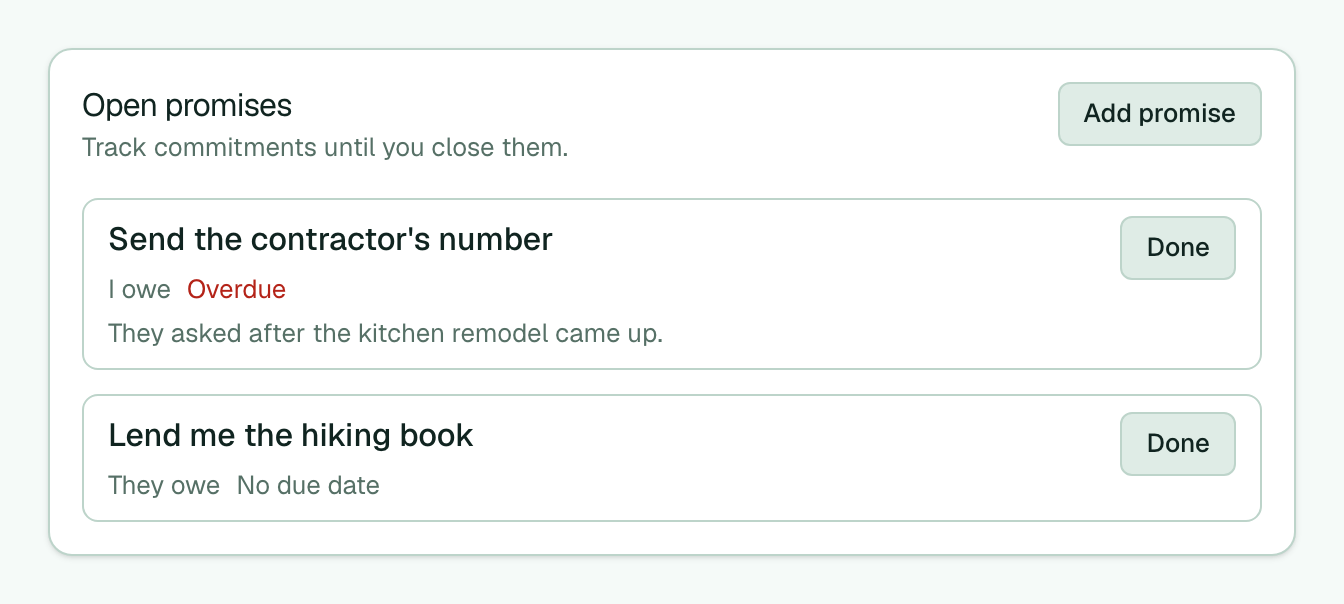
- Open a contact (not your own card).
- In Open promises, select Add promise.
- Enter the Promise, choose I owe them or They owe me, and set an optional Due date.
- Select Save promise.
- When you keep it, select Done on the row. Or mark Done on the matching Queue item.
- After Log connection, Memlane can ask Close any promises? Leave them unchecked or mark the ones you kept.
Enable the Open promises Routine on the Routines page to get Queue reminders for due and overdue items (it starts On for new accounts). You can leave it On before you add any promises. Promises without a due date stay on the contact page only. See Use the Queue, Log a connection, and Quick Log (optional next date creates a reach-out promise).