
Activity banner
See saves, loads, contact sync, and dismissible notices in the header while you keep working.
The activity banner is the strip under the header. It shows background work in Memlane. It is not the Queue. The Queue holds routine reminders. See Use the Queue.
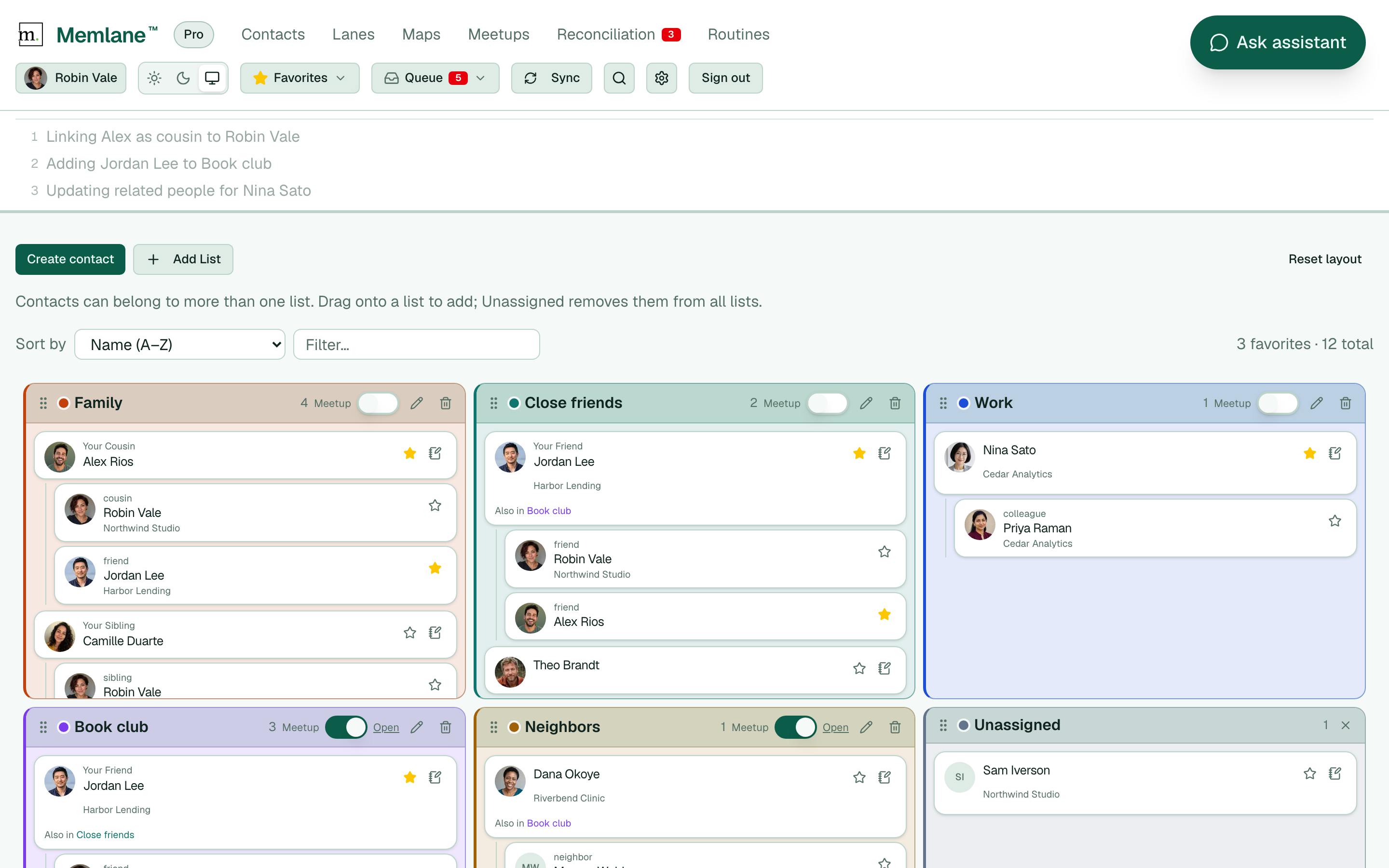
- The banner opens when Memlane saves a change, loads a section for the first time, or runs a contact-sync job after a save.
- The top line is the task that runs now, with a small rolling Memlane logo.
- Extra tasks wait below as a numbered list. Memlane runs them one at a time.
- Some messages stay as notices under the work list. Choose X to dismiss a notice. Notices stay until you dismiss them, including on other devices for the same account.
- When running work finishes and no notices remain, the banner closes after a short pause.
Common labels
- Saving: related people, list memberships, memory notes, promises, lane moves, and similar
- Loading: first fetch for a page section, such as Loading lane contacts
- iCloud or Google Contacts: pushing a contact or note to your address book after a local save
Free low-priority sync
On Free, once-per-UTC-day inbound address-book pulls can show a low-priority banner tone and a queue position that counts down while Memlane waits. First-run directory load and Free contact picks during onboarding do not use that delay. Your edits still push to Apple or Google right away. If you already used today's Free inbound pull, Sync posts a notice in the banner. The notice stays until you choose X. Memlane Pro in that notice opens Settings → Membership. See Memlane Pro.
You can keep using the app while the banner is open. Memlane does not block the page for most work. If a save fails, the activity row shows an error in the banner or in the control you used.
For routine reminders, open Queue in the header. For email or SMS when new Queue items arrive, see Queue notifications.