
Connect Grok Bot to Memlane as your contact AI agent
Link Grok Bot to Memlane over MCP. The agent reads contacts, memories, and your Queue so it can help you reach out and follow through.
Your phone knows names and numbers. Memlane knows your contacts: who they are to you, what you promised, when you last talked, and who you need to reconnect with. Grok Bot does not have any of that until you connect it as an AI agent over MCP.
Once you do, this agentic assistant can read Memlane through MCP (the Model Context Protocol, a standard way for agents to call tools). Same contacts. Same memories. Same Lanes, Queue, Routines, promises, Relationship Map, Gather, and reconciliation inbox you use in the app. The agent works in the chat you already keep open. Memlane stays the source of truth.
This is a story first. Then it is a how-to. The people below are invented. The tools are the real ones.
Friday, 4:47 p.m.
Robin Vale just closed her laptop. The week was three launch deadlines, a sick kid on Tuesday, and a Thursday night she spent on someone else's emergency. She cares about her contacts. She just did not have room to act on it.
Saturday book club dinner was still vague. Priya Raman was supposed to pick the next book. She told Jordan Lee she would send the contractor's number after the kitchen remodel came up and never did. Alex Rios's birthday was a week away; he wanted the new climbing guidebook. Theo Brandt had gone quiet for nine weeks.
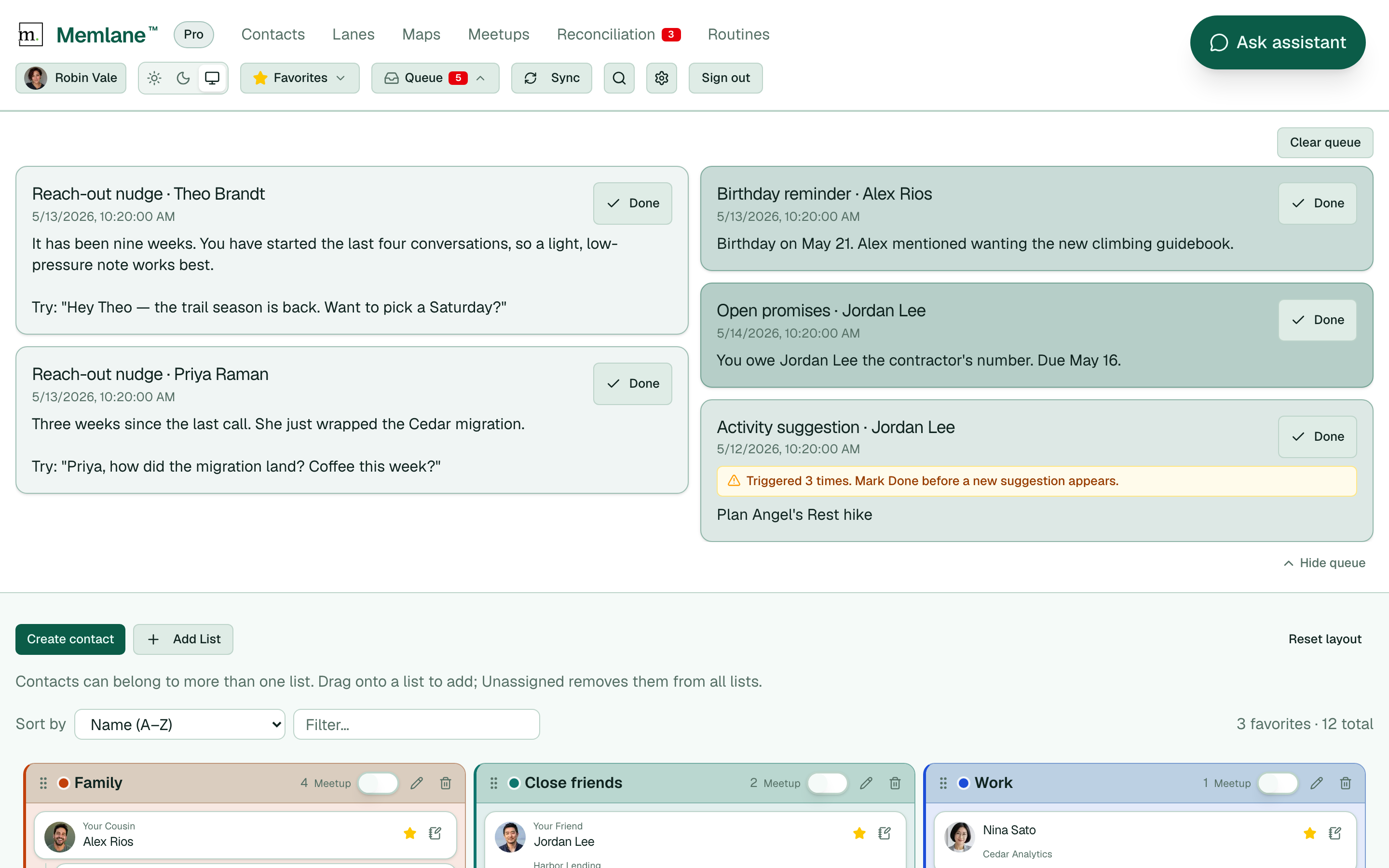
She did not open Memlane once. The app still worked. Routines added items to her Queue: Alex's birthday in seven days, a reach-out nudge for Theo, an open promise to Jordan, another for Priya after the Cedar migration wrapped. Two nights ago she connected Grok Bot to Memlane, created a Grok agent she named Life Assistant, and told it to check that Queue every afternoon.
At 4:47, Grok Bot messages her in its own thread:
Quick pass on your Memlane Queue before the weekend. Alex Rios turns 34 in seven days. You noted he wanted the new climbing guidebook. You still owe Jordan Lee the contractor's number. Theo's reach-out nudge is open. You have started the last four conversations, so keep it light. Priya wrapped the Cedar migration three weeks ago. Book club dinner is still unplanned if you want to lock in Saturday.
Robin did not build that list herself. Grok Bot searched contacts, read memories, checked the Friendship lane, her Family and Book club lists, open promises, and the Reach-out nudge list. Then it offered a plan she could say yes to:
Want me to draft a book club dinner text to Priya that includes Jordan, a light reach-out to Theo about Angel's Rest, and a reminder to send Jordan the contractor's number before it is due?
That is the gap Memlane was built for. Contacts apps store numbers. Memlane stores the relationship, and adds the features your device does not have for building and maintaining those relationships. Grok Bot is what happens when an agent can work through that layer with you, even on the weeks when you never open the app.
What Memlane gives you that your phone does not
Memlane can sync with Apple Contacts through iCloud or with Google Contacts. Your address book stays yours. On top of that, Memlane adds what a phone contact card cannot hold:
- Memories: Facts, notes, and preferences that survive between conversations
- Lanes: Stages as friendships and other relationships grow
- Queue: Standing reminders from Routines: birthdays, open promises, reach-out nudges
- Promises: Things you owe someone, with due dates
- Relationship Map: How people connect to each other and to you
- Gather: Recurring hangs with a purpose and a roster
- Initiation balance: Who has been starting conversations lately
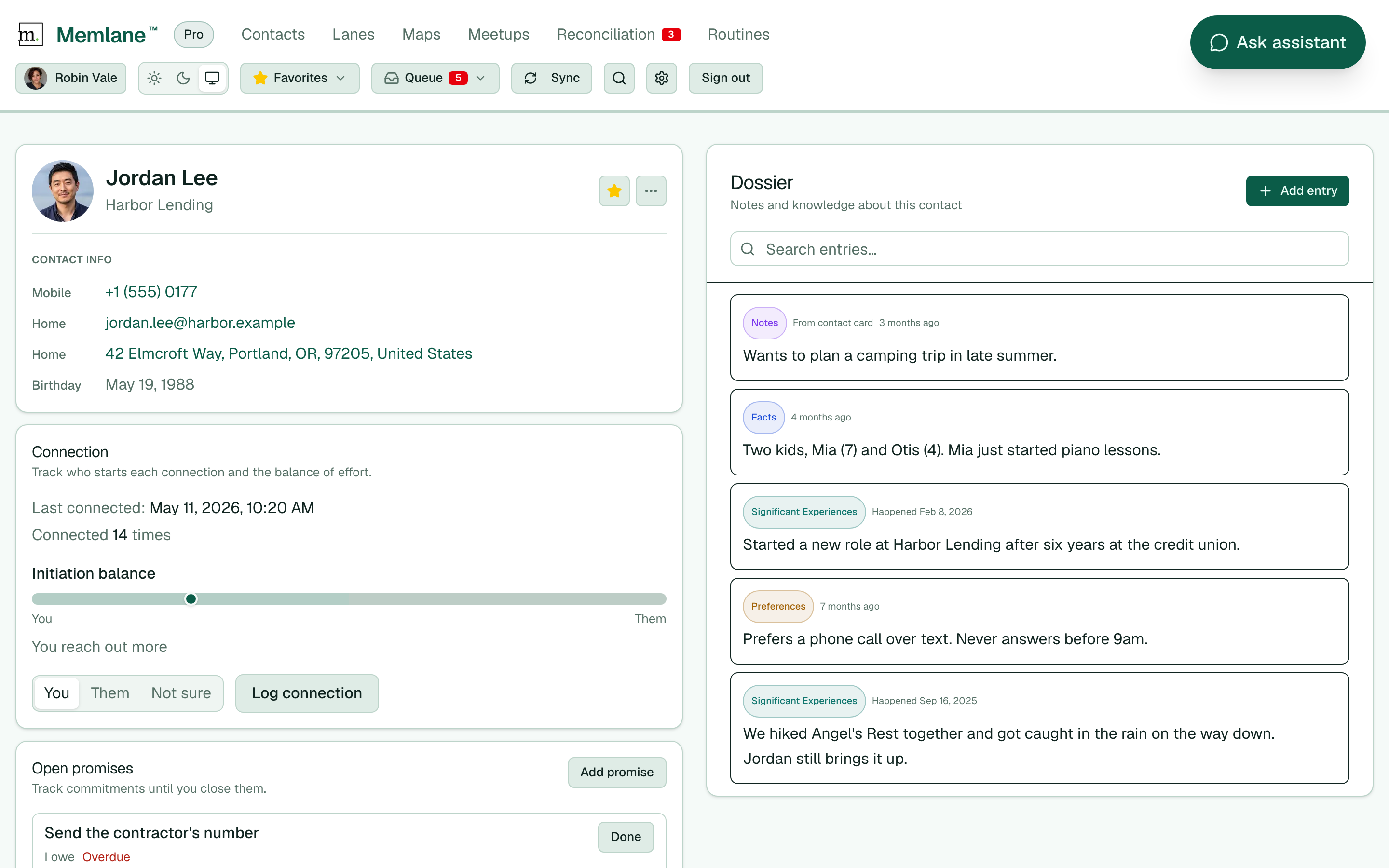
None of this lives in Grok until you connect Memlane. After you do, any MCP-capable AI agent can read it and help you act on it. Grok Bot is especially good as an always-on assistant because it already sits in a long-running chat (about a trip, a climb, a family weekend) where you do not want to open a second app and re-explain context.
What this AI assistant is good at
The in-app AI assistant is excellent when you are already on a contact page. Tap Ask AI Assistant, pick a person, and ask. Free includes 10 chats per UTC week. Memlane Pro includes 200.
Grok Bot is the agentic path for the rest of your life. You want the AI agent that is already in the conversation to use Memlane: search a name, read a memory, check the Queue, draft a text, and wait for your yes before anything destructive.
That works on a schedule, and it works in the middle of ordinary chat. You mention you want to get back into hiking, or you are planning a low-key Sunday and do not want another solo coffee. Grok Bot can search memories and Preferences without you naming anyone. Jordan Lee's memory mentions a camping trip this summer, and the Queue already has an Angel's Rest hike on the list. Priya Raman has a reach-out nudge due, and she is on your Book club Gathering anyway. It is the overlap your brain would make on a quiet walk, except Memlane already wrote the notes and Grok Bot connects them while you are still talking about something else.
Planning a dinner? Ask Grok Bot who is on the list and what Memlane knows about each of them: a food allergy in Facts, who does not drink, the restaurant someone loved last year. You wrote those details down once. Grok Bot surfaces them when you are making the plan. People notice when you remember the small things. It shows you care.
Memlane Pro hosts the MCP server. Grok Bot becomes a client, same as Cursor, Claude, or ChatGPT. The difference is the desk. Grok Bot holds a plan across messages, tests a change, and asks before it deletes.
Let your agentic assistant watch your Queue
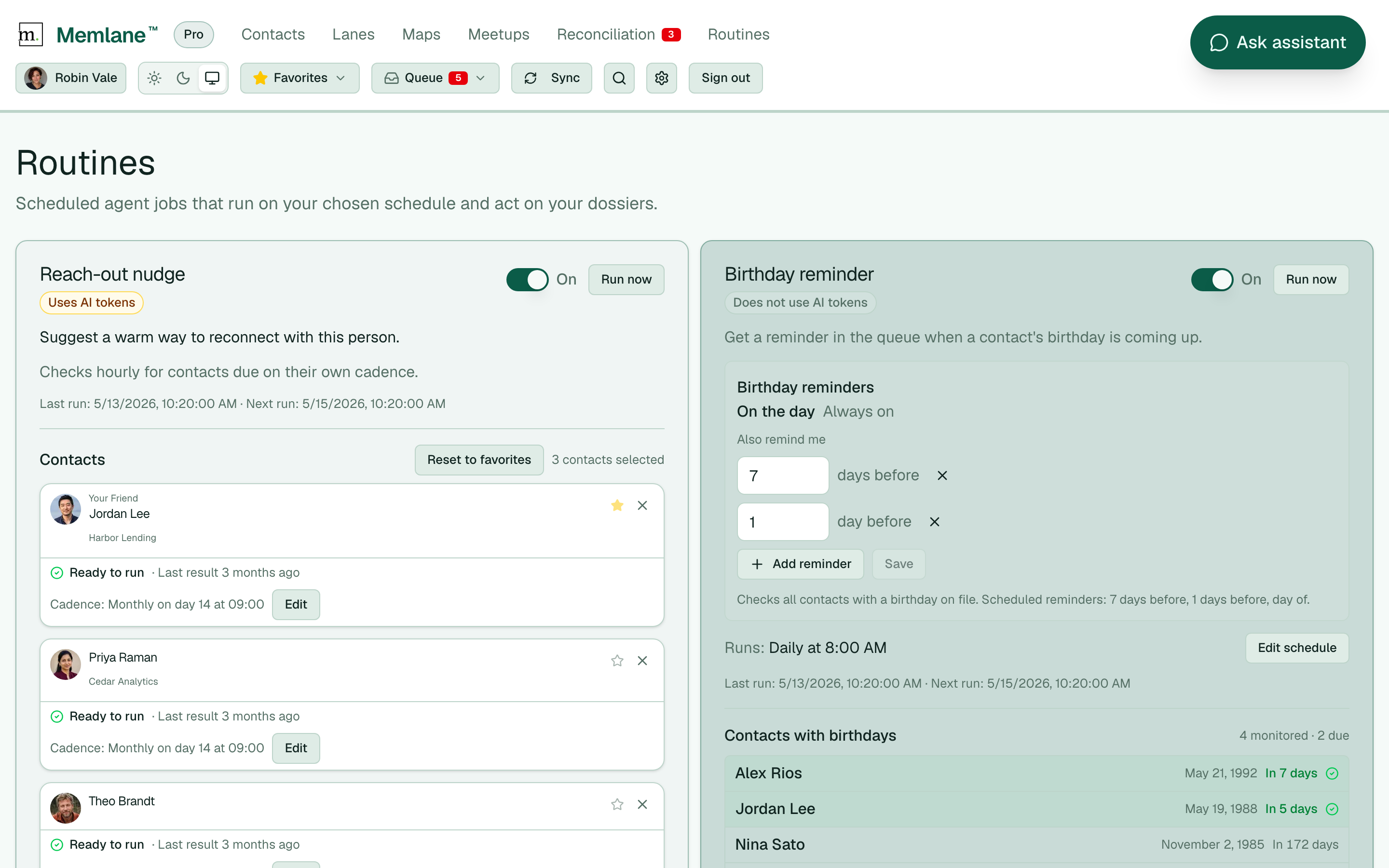
Grok Bot does not ship with a Memlane agent ready to go. After you connect, create a custom AI agent in Grok with instructions for the job: a Relationship Builder that scouts memories for overlaps, or a Life Assistant that checks your Queue on a schedule. Every few hours, or once a day, whatever fits your rhythm.
On each pass the agent reads what Routines have surfaced: a birthday coming up, a promise past due, a friend who has gone quiet. Then it pings you in chat. Not a wall of data. A short summary and a question.
Alex Rios turns 34 in seven days. He wanted the climbing guidebook. Want help picking one? Theo's reach-out nudge is due. You have started the last four conversations. Should I draft something light?
From there the agent can go further with your yes: draft an email, write a group text for a dinner invite, sketch a Gathering plan, or walk through the steps to set something up. Connect your calendar in Grok Bot too, and it can check your free slots against the people Memlane suggests, then draft the invite or event and line up who to add. You still send the message and confirm the calendar entry. You still own the relationship. The agent does the prep work that used to disappear when the week got loud.
Set Routines in Memlane first so the Queue has something to read. Queue notifications can email or text you too. Grok Bot on a schedule is another channel: a conversation, not just an alert.
Connect Grok Bot
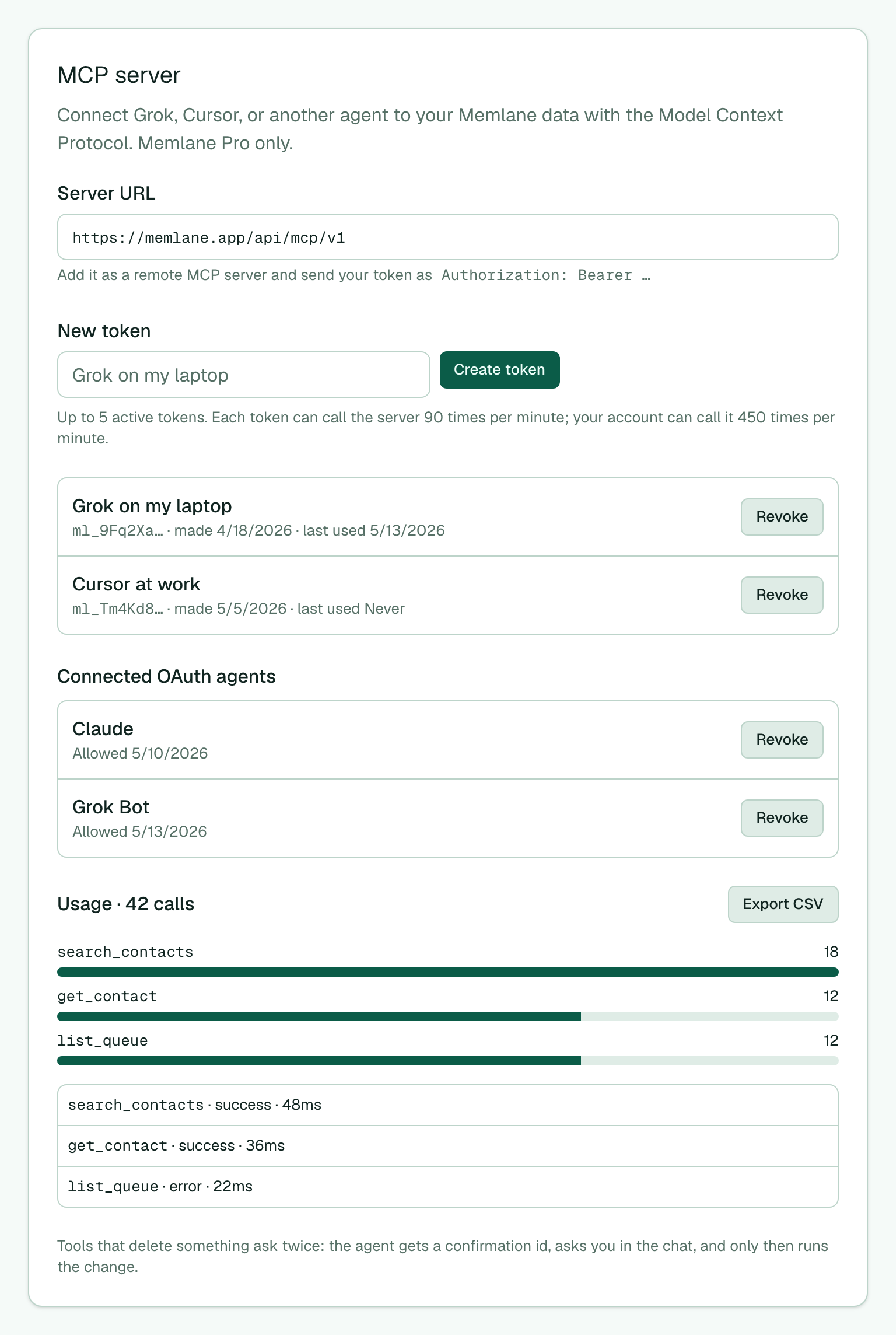
- In Memlane, open Settings (gear in the header) and scroll to MCP server.
- Copy the Server URL.
- In Grok Bot, add a remote MCP connector and paste that URL.
- Grok Bot opens Memlane. Sign in with email, Google, or Apple if asked.
- Choose Allow on Connect an agent.
- You need Memlane Pro. Add contacts in Memlane or connect iCloud or Google Contacts so the agent has people to work with.
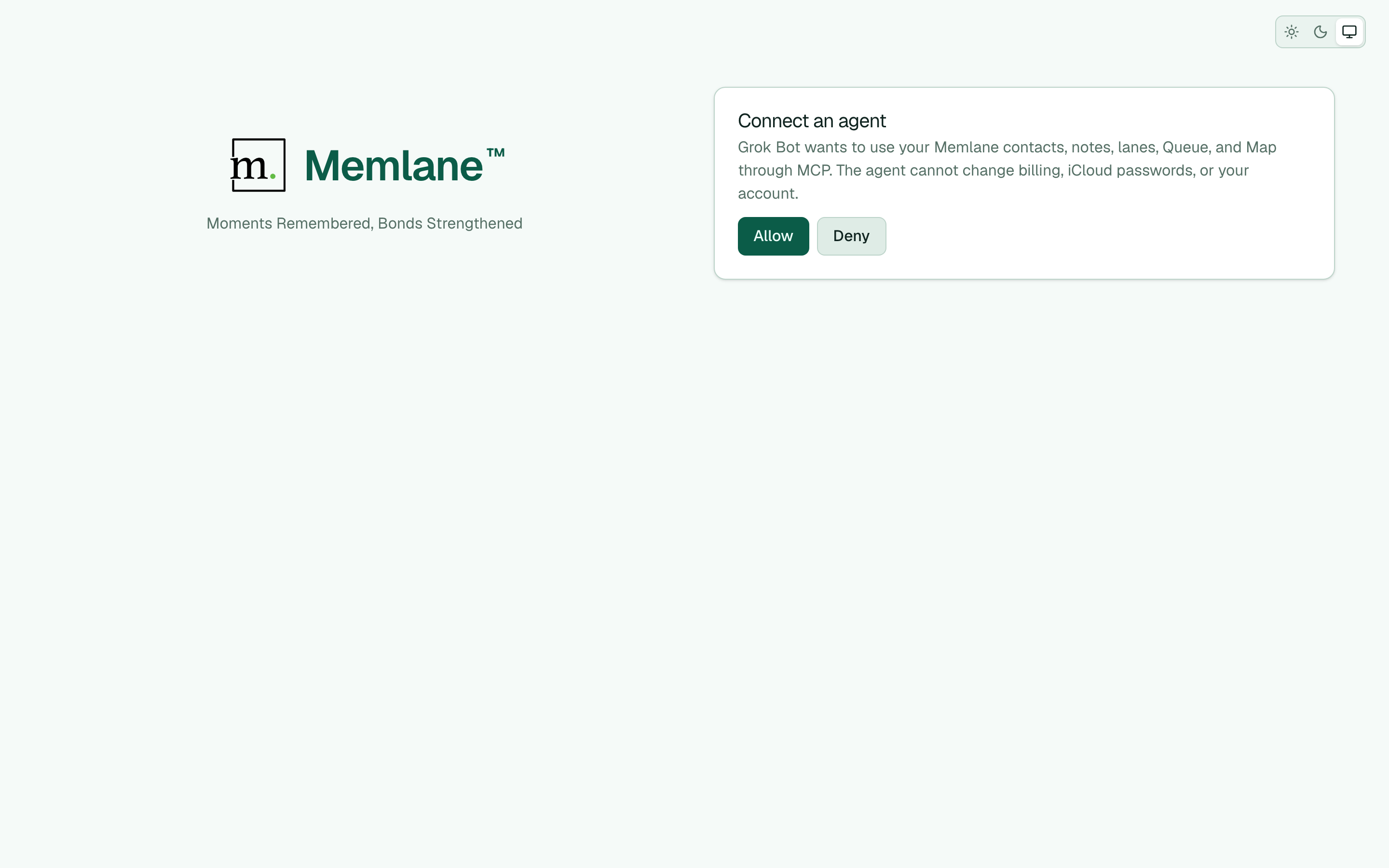
A custom connector will not show a catalog logo. That is expected. Catalog plugins ship their own branding. A URL you add by hand only has the name and the endpoint, so the card uses a generic mark. The tools still work.
Open Settings → MCP server later to see Connected OAuth agents and choose Revoke if you want Grok Bot gone.
Full copy-paste commands live on /developers. Every tool is listed in the tool reference.
Start with a safe test
Do not begin with "clean up my contacts." Begin with a read, then one reversible write.
Ask Grok Bot to:
- Search for one person you know well.
- List your Lanes and the Queue.
- Add a single Facts note that says it is a test.
- Search memories for that sentence so you can see the index catch it.
- Delete that same note after you say yes.
Destructive tools change nothing on the first call. They return a confirmation id and a short summary. Grok Bot should read the summary to you. Only after you say yes does it finish. A confirmation works one time and expires after 5 minutes. If you say no, do nothing. It expires by itself.
Billing, contact-sync credentials, and account deletion stay in the app. The MCP server cannot touch them.
If you fire too many calls at once, the server says to try again soon. Each OAuth connection can call 90 times per minute. Your account can call 450 times per minute across all connections. Wait a minute. Then continue.
Back to Saturday
Here is what Grok Bot actually used for Robin. None of this is magic. It is the product, asked in the right order.
Search, then profile. "Find Priya Raman" returns a contact id. The full profile brings lists, related people, notes, open promises, and recent connections. Grok Bot does not guess which Priya. It starts with search, the same way the MCP guide tells every agent to start.
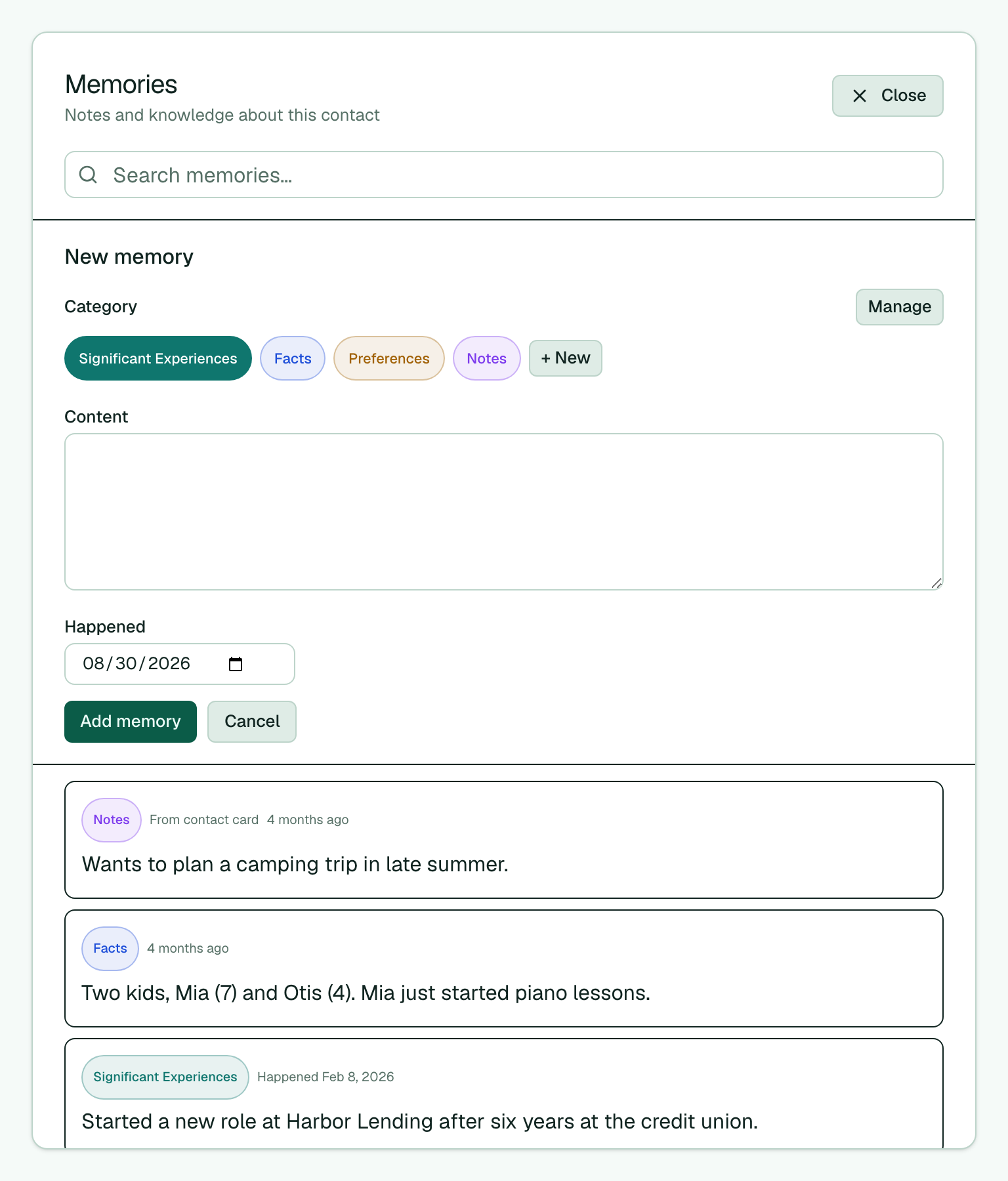
Memories. Significant Experiences, Facts, Notes, and Preferences are categories with real ids. Preferences is a good place for how someone likes to hear from you. On Jordan Lee's card: "Prefers a phone call over text. Never answers before 9 a.m." Notes in the Notes category sometimes want the contact page. If a write fails, Grok Bot should say so and try the category that works, not invent a second person.
Lanes. Friendship is a lane with stages: Met, Acquaintance, Friend, Close Friend. Grok Bot can see who sits where: Sam Iverson at Met, Jordan Lee at Close Friend. It should not move Sam from Met to Close Friend because one dinner went well. It can say the stage, then wait.
Queue and Routines. Birthday reminder, Open promises, and Reach-out nudge are the standing jobs. A birthday 7 days out and 1 day out. A promise with a due date. A stale-contact nudge after too many quiet days. Grok Bot reads the Queue. It does not mark items done just to make the list pretty.
Promises. "Send the contractor's number" is a promise Robin owes Jordan Lee. Grok Bot can create one, update the due date, or mark it done after she actually sent it. Deleting a promise is the wrong default. Close it so the history stays.
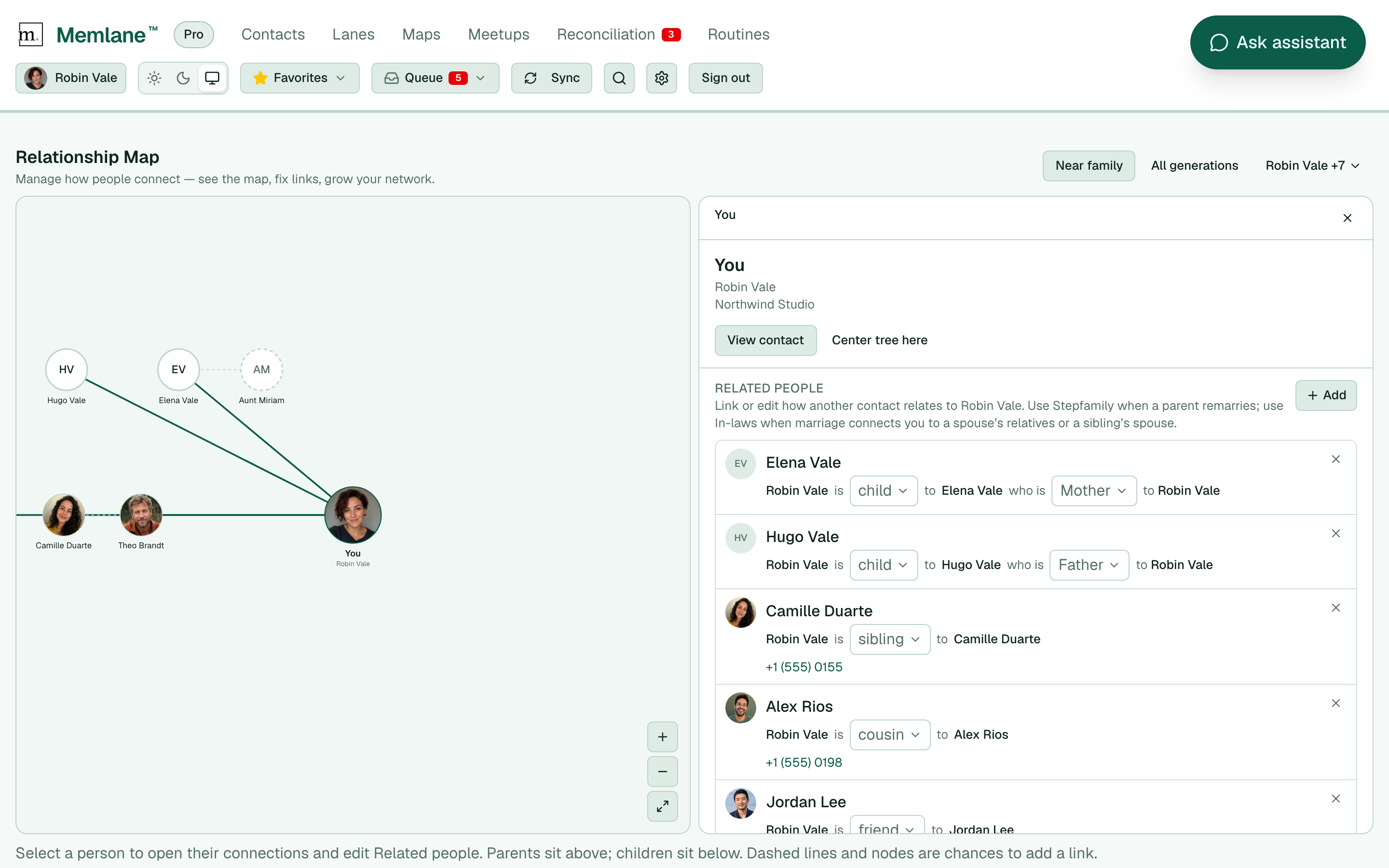
Relationship Map. Alex Rios is Robin's cousin. Camille Duarte is her sibling. Jordan Lee and Theo Brandt are friends, not family. The map is how Grok Bot avoids the holiday-kitchen mistake: introducing two people who already share a grandmother. Free plans show a preview around you. Memlane Pro opens the full map. Read Relationship Map — see how people connect for the full picture.
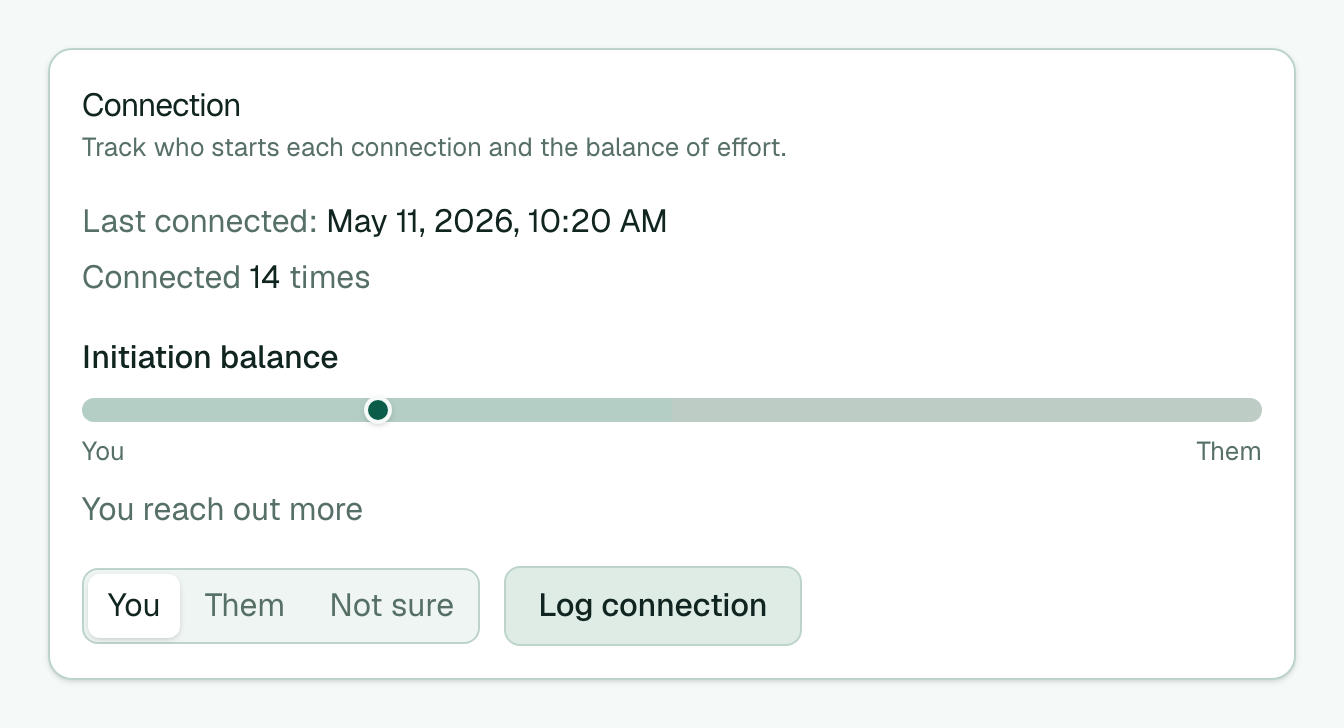
Initiation balance. Jordan Lee has been glad to show up and slow to start. That is not a villain story. It is a mirror. Grok Bot can say "you have started six of the last eight conversations" without turning it into a lecture. The next text can be an invitation with an easy out, not a scorecard. See Who reaches out first, and why that matters.
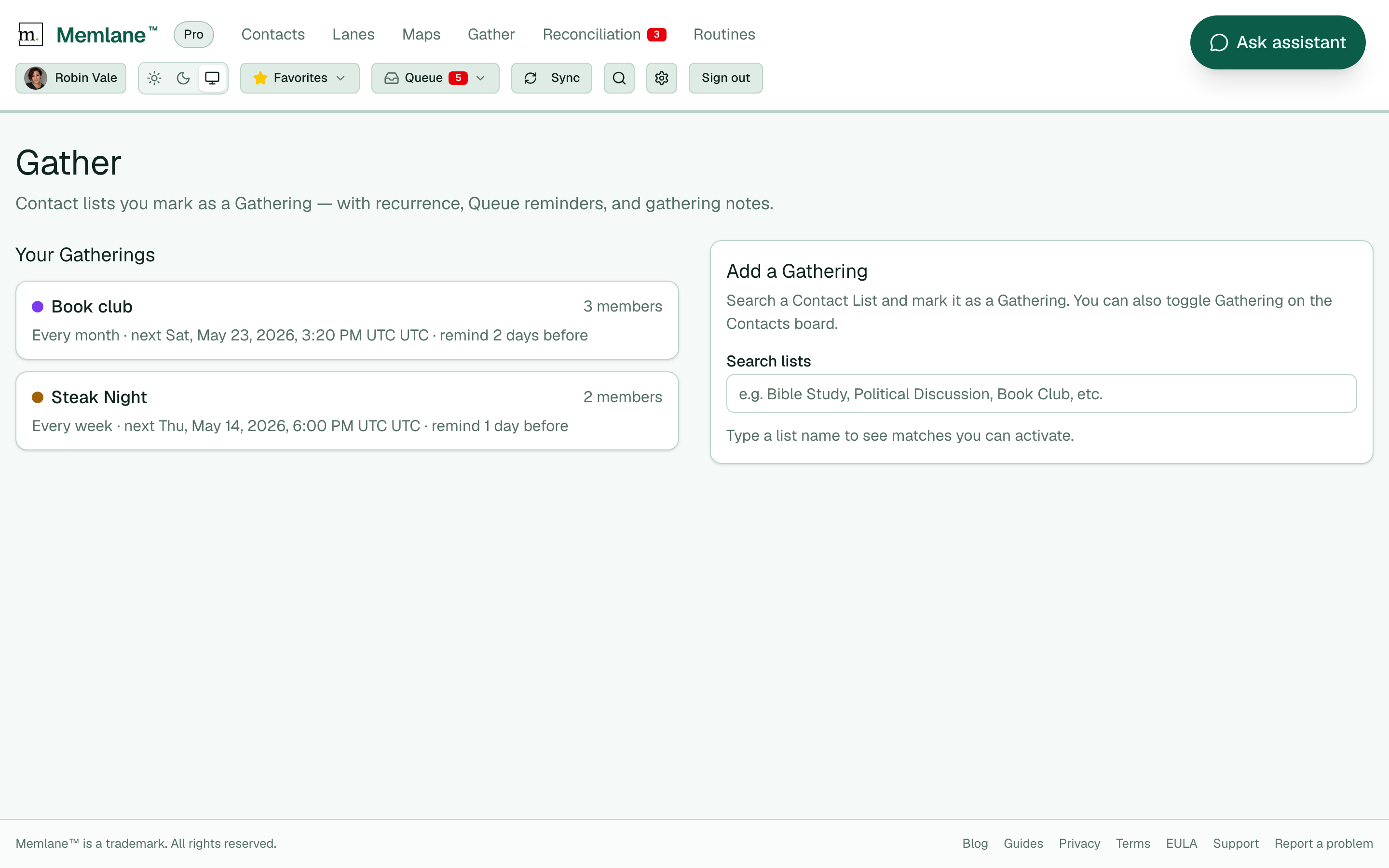
Gather. Book club is already a Gathering with Priya Raman and Jordan Lee on the roster. Grok Bot can read the next date, the purpose, and who is on the list. It should not unmark the Gathering or delete an occurrence to "test." Those are destructive and need your yes.
Robin said yes to the dinner draft. She sent it on the train home. Book club met Saturday. Priya picked the next novel. Jordan got the contractor's number. Alex got the guidebook link. Theo texted first about Angel's Rest the next week. A small thing, and also the whole point.
What "closer" actually looks like
Closer is not more notifications. Closer is a specific sentence at the right time.
For family, that sentence is often a fact you would have remembered if life were slower. The restaurant your dad liked in 2019. The cousin who does not drink. The sibling who will come if you give her a job and a hard stop.
For friendships, that sentence is often who has been doing the work. Initiation balance will not save a friendship by itself. It will stop you from calling someone distant when you have not left them room to start.
Grok Bot is useful here because it can hold both at once. Memlane is the memory. The agent is the rehearsal. You still send the text. You still sit at the table.
Put it together
Memlane is where your contacts live (local contacts or sync from iCloud or Google Contacts), plus memories, Lanes, Queue, promises, Gather, and the Relationship Map. Grok Bot does not know any of that until you connect this AI assistant over MCP.
After you connect, create a Grok agent for the job you want. A Life Assistant can check your Queue on a schedule and ping you when something needs attention. The same agentic setup can help mid-conversation: surface who shares an interest, pull up a food allergy before you plan dinner, draft a text, or line up a calendar invite with the right names.
Robin never opened Memlane that week. The Queue still filled. Grok Bot turned it into a plan she could act on in minutes. That is the point of an agentic relationship assistant: you stay in the chat you already use, Memlane stays the source of truth, and you stay close to the people you care about.
Get started: connect Grok Bot in Connect an AI agent with MCP. You need Memlane Pro. Copy the server URL from Settings → MCP server, add it in Grok Bot, and sign in when OAuth opens. For the MCP overview and other agents, read Let your AI agent work in Memlane. For copy-paste commands and the full tool list, see /developers.