
See what the assistant changed, then undo it
The AI assistant now lists each change it made under its reply. Open a change to check it, or Undo it with one tap, and your later edits stay safe.
Chat is a good way to ask for work. It is a bad place to keep a record of that work. You type "remind me to send Jordan the contractor's number by Friday, and move Jordan to Close Friend." The assistant says "Done." Ten messages later, that "Done" is out of view, and you cannot see what changed.
Amelia Wattenberger makes this point in her essay "Chat is AI's command line." A command line is powerful, but its output scrolls away. The results of the work must stay on screen as things you can see and change.
So Memlane now does that. When the assistant makes a change, it lists each change under its reply.
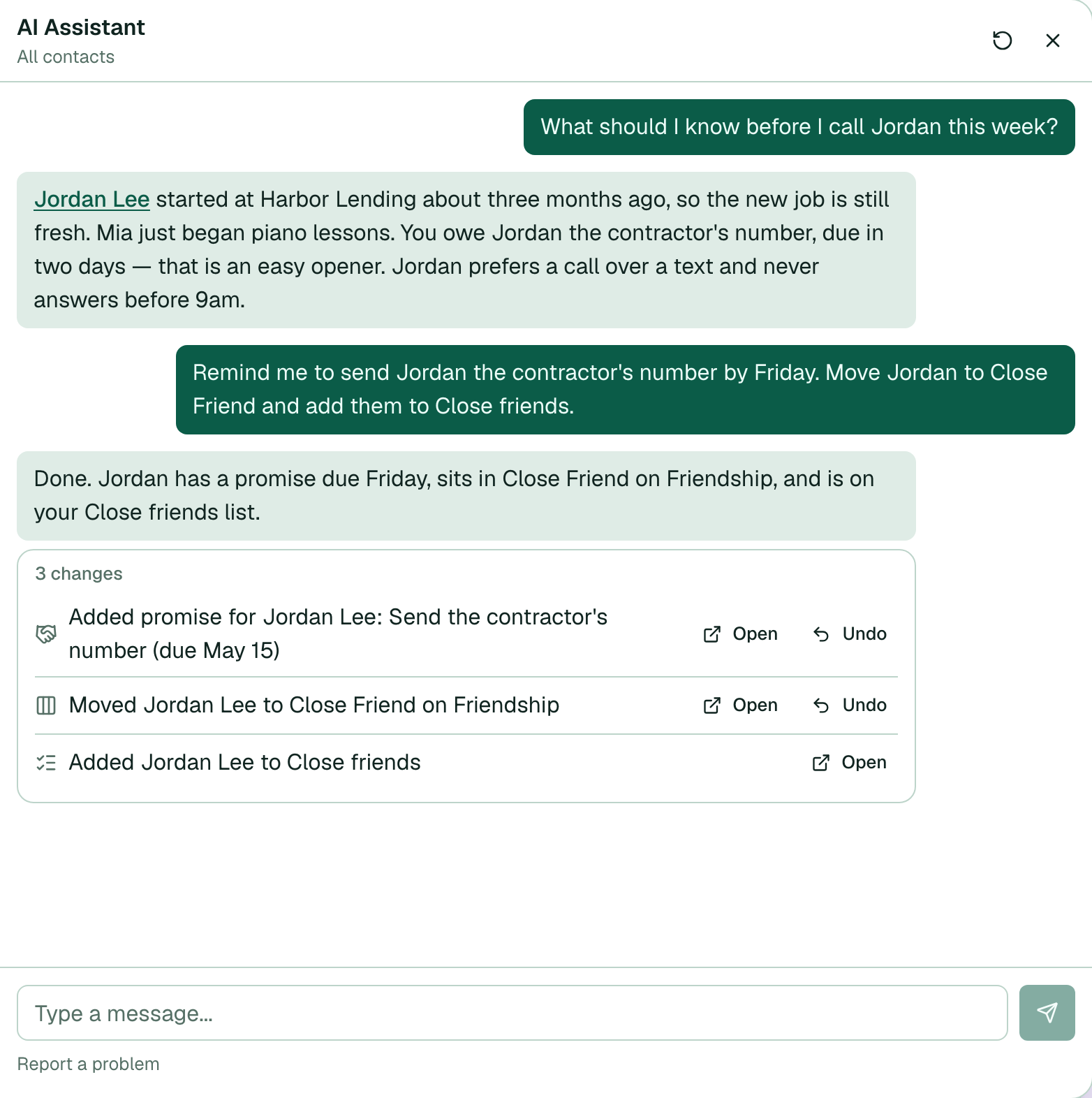
Each row is one change: a new promise, a move on a lane, a logged connection, a saved memory note, or a reach-out schedule. The row says what changed in plain words, with the person's name. Open takes you to the contact page or to Lanes, so you can check the change where it lives.
Undo reverses that one change. You do not need to explain the mistake to the assistant again. A promise with the wrong due date goes away. A lane move goes back to the earlier stage. The work runs in the activity banner, so you can keep using the app.
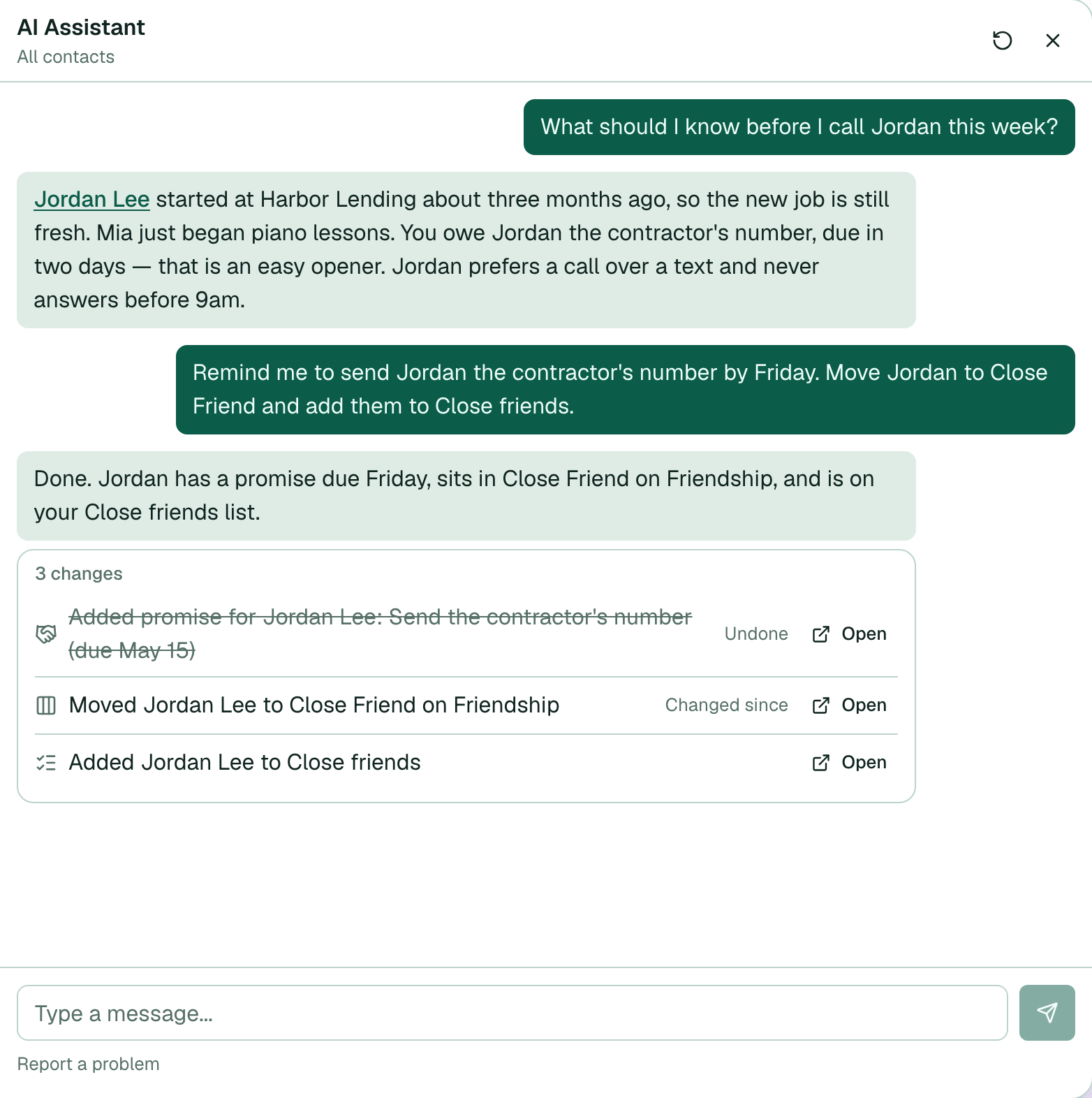
Undo also protects your own edits. Say the assistant moved Jordan Lee to Close Friend, and later you moved Jordan by hand. A blind undo would erase your newer choice. Memlane compares the item now with the item the assistant left. If they are different, the row shows Changed since and Undo stops. Your edit stays.
Some changes show Open only. Contact list changes go to iCloud or Google, so you manage them from the contact page.
The assistant still asks first. Changes run only after you choose Yes. The list of changes is the second check: it shows the exact result, and you can reverse each part.
To try it, see Undo an AI assistant change and Ask the AI assistant.