
Undo an AI assistant change
Each change the AI assistant makes appears under its reply. Open it to check it, or Undo it with one tap.
When the AI assistant changes your data, it lists each change under its reply. Each row is one change, for example a new promise or a move on a lane. You can open a change to check it, or undo it without asking the assistant again. To start a chat, see Ask the AI assistant.
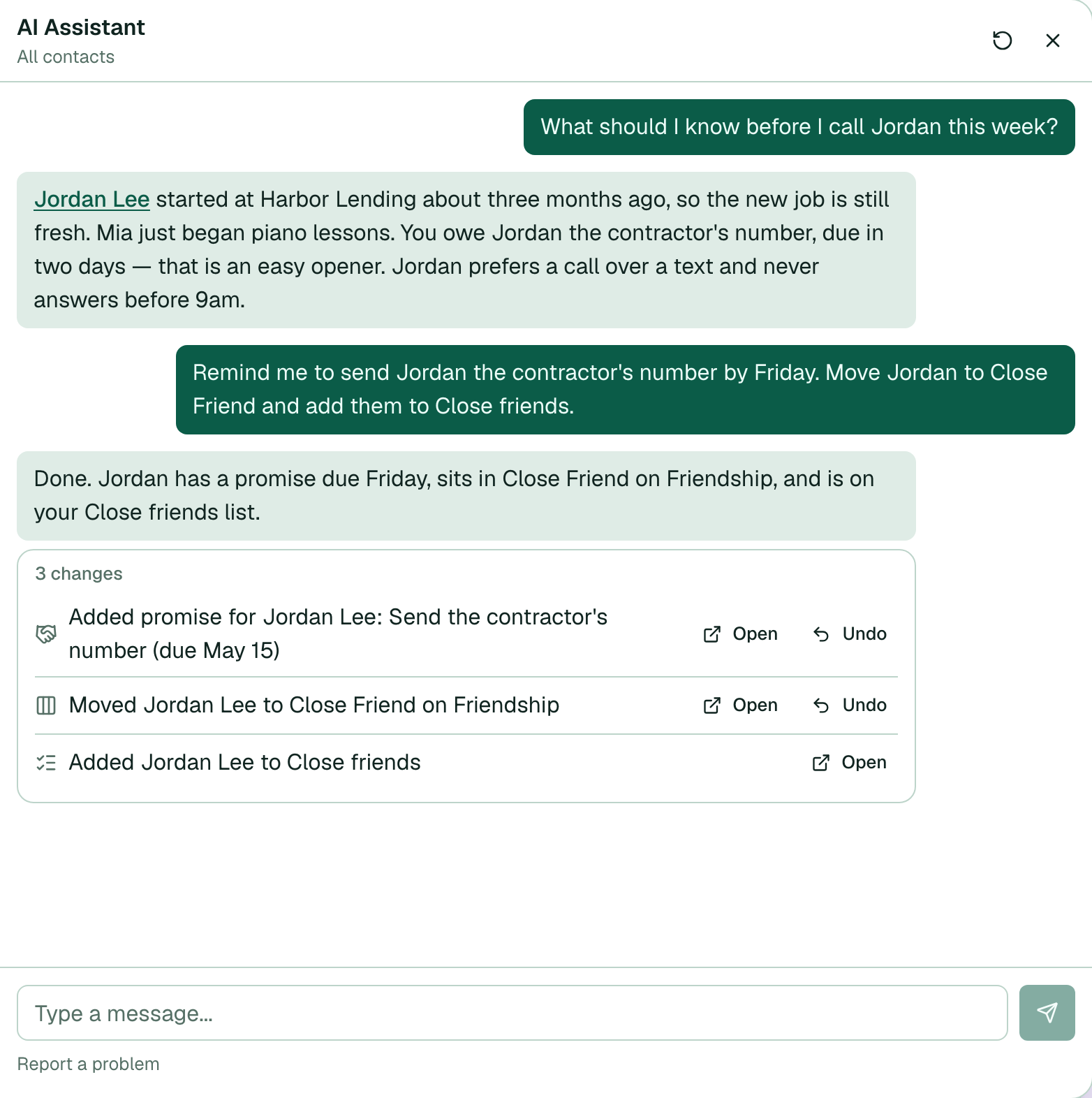
- Choose Ask AI Assistant and ask for a change. For example: "Remind me to send Jordan the contractor's number by Friday, and move Jordan to Close Friend."
- Read the plan in the reply, then choose Yes. The assistant makes changes only after Yes.
- Under the reply, find the list of changes. A heading such as 3 changes shows when there is more than one.
- Choose Open on a row to see that change. A promise, connection, memory note, or reach-out schedule opens the contact page. A lane change opens Lanes.
- Choose Undo on a row to reverse that change. The activity banner shows Undoing: … while the work runs. You can keep using the app.
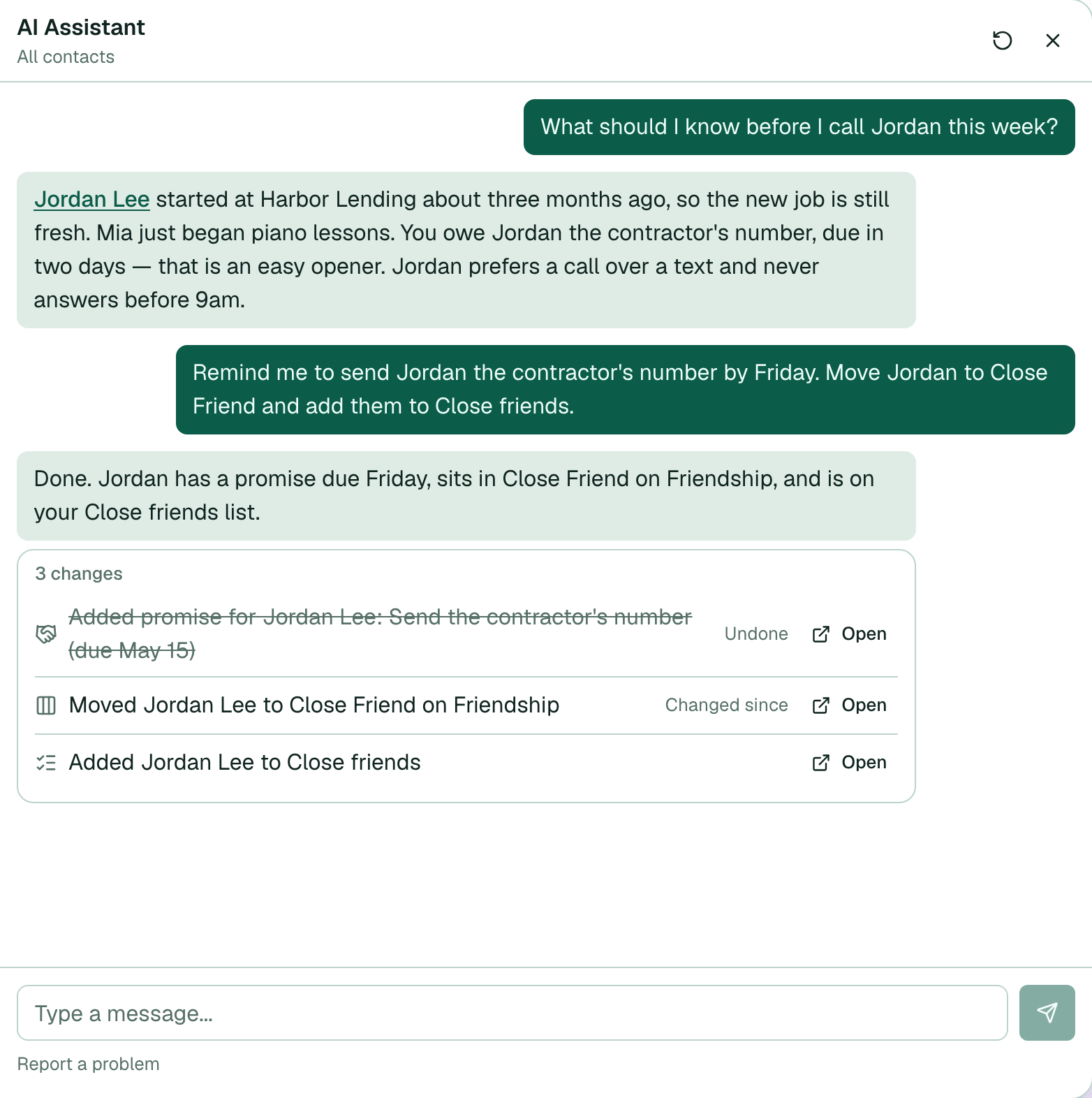
- After the undo, the row text shows struck through with Undone. The row stays in the chat, so you can see what the assistant did and what you reversed.
What Undo does
- Added a promise — removes the promise.
- Updated a promise — restores the earlier title, notes, direction, due date, and status. Marked a promise done — opens the promise again.
- Logged a connection — removes that connection and restores the earlier last-connected date.
- Added to a lane — takes the person off the lane. Moved on a lane — moves them back to the earlier stage.
- Saved a memory note — deletes the note. Edited a memory note — restores the earlier text.
- Set a reach-out schedule — restores the earlier schedule.
When Undo stops
If you changed the item after the assistant did, Memlane does not overwrite your newer edit. When you choose Undo, the row shows Changed since, and the Undo button goes away. The row keeps that label after you reload. Choose Open and edit the item by hand if you still want a change.
Contact list changes show Open only. Those changes go to iCloud or Google, so you edit them from the contact page. See Use Contact lists.
Changes appear in the assistant chat in Memlane. An external agent that uses the Memlane MCP server does not show this list.