
Export a contact to your vault
Pull everything Memlane knows about one person into your notes vault or life overview, as JSON or as a markdown note.
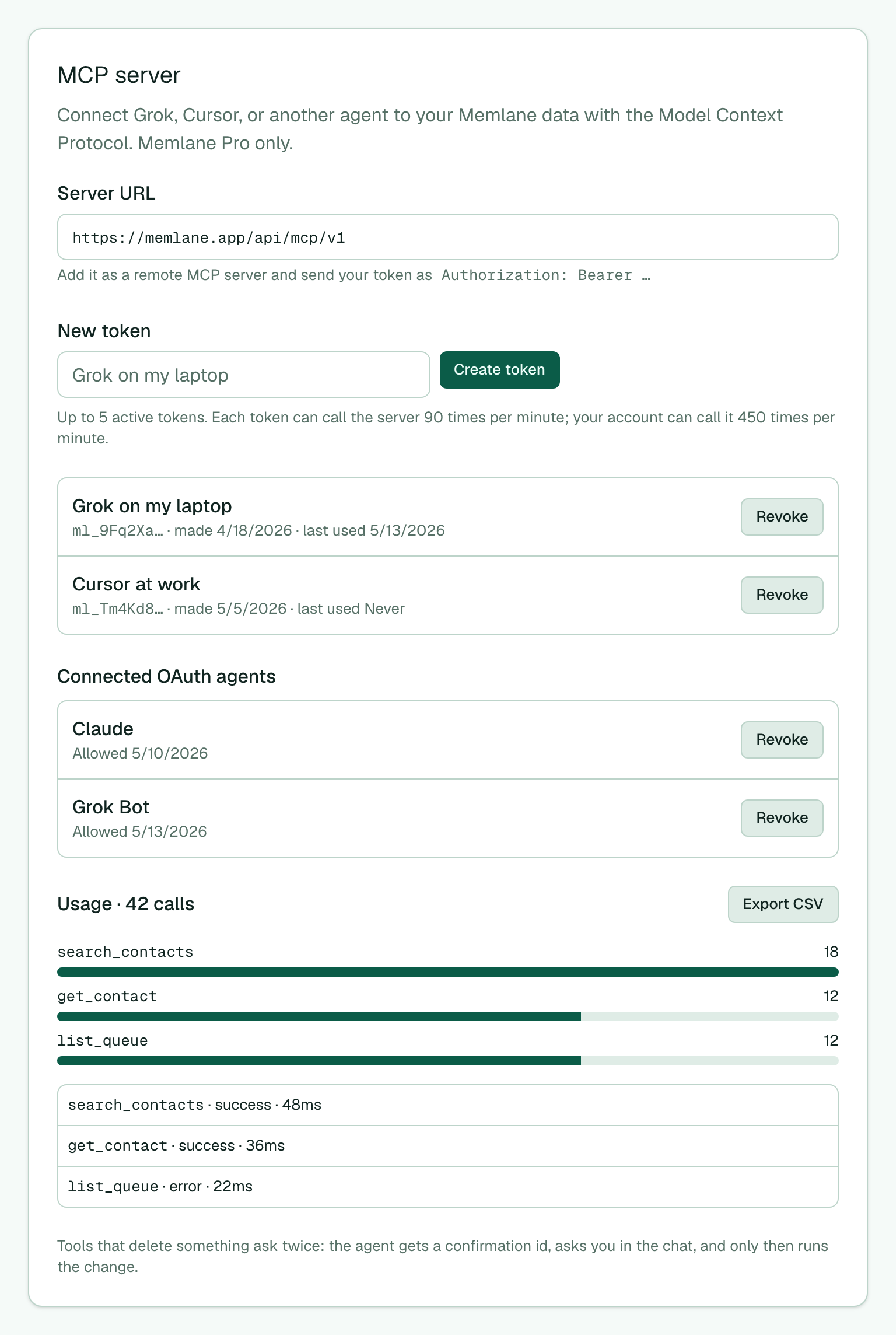
You can copy one person from Memlane into your own notes vault, life overview, or personal site. Memlane sends the data. You choose the layout. This needs Memlane Pro and an MCP token or OAuth grant. See Connect an AI agent with MCP.
Ask an agent
- Connect your agent to Memlane. Use the Server URL from Settings → MCP server.
- Ask the agent for the person, for example: "Write Jordan Lee from Memlane into my vault as a markdown note."
- The agent calls get_contact_overview with the markdown format. The note starts with front matter (id, name, company, birthday, Contact lists, Lanes, last connected). Then it lists contact info, related people, Lanes, open promises, connections, and memories by category.
- Related people that are also in Memlane show as
[[Name]]links, so the notes in your vault connect.
Use a build script
- Open Settings → MCP server. Type a name in New token, such as
Vault build, and choose Create token. - Keep the token in your build script or server. Do not put it in a web page. Memlane does not allow browser calls from other sites.
- Call
GET /api/v1/contacts/<contactId>/overviewwith the headerAuthorization: Bearer <token>. Add?format=markdownfor a note, or leave it out for JSON. - Save the
ETagheader. On the next run, send it asIf-None-Match. When nothing changed, Memlane answers304with no body, so your build skips that person.
Many memories
Memlane sends memories newest first, 50 at a time (up to 200 with memoryLimit). When more remain, the reply holds a next cursor: memories.nextCursor in JSON, or the X-Memlane-Next-Cursor header. Send it back as memoryCursor for the next page. To pull only new or edited memories, add updatedSince with the time of your last run.
The export reads your data. It never changes anything in Memlane.