
Create your first lane
Track relationships through stages, move contacts with optional notes, and run several lanes at once.
Lanes are parallel tracks (for example Friendship or Mentorship). Each lane has stages in a tree: a main path, and optional forks after any stage. Stages run top to bottom. Use the tabs at the top to switch lanes. A contact can sit in one stage per lane and can belong to several lanes at once.
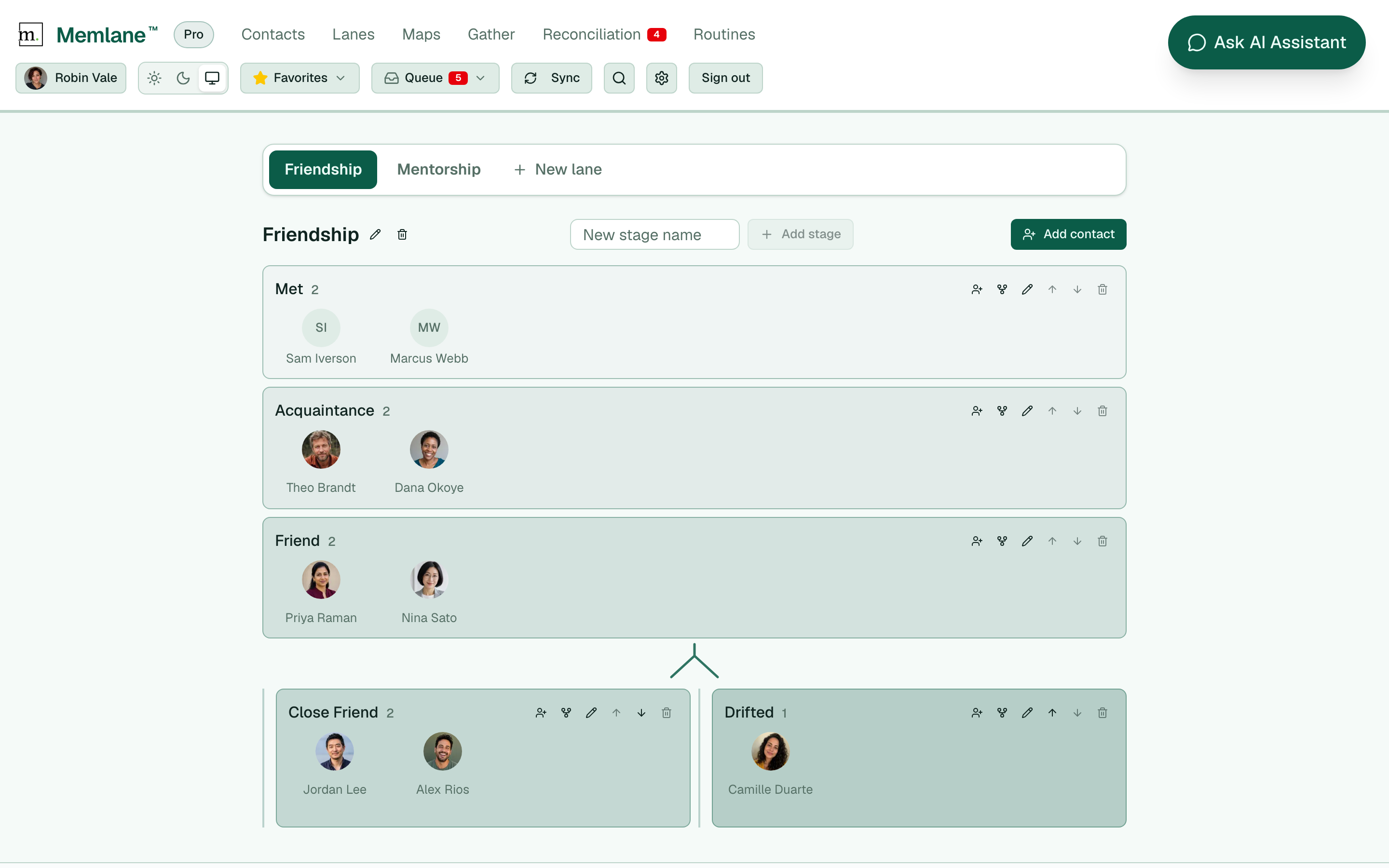
- Open Lanes from the app navigation. Memlane seeds a Friendship lane with Met, Acquaintance, Friend, and Close Friend on your first visit.
- Select a lane tab at the top. Choose New lane to add another track. Pick a template: Blank (stages Met and Friend), Friendship (Met, Acquaintance, Friend, Close Friend), or Dating (Matched, Wants kids, Same city long-term, Clear on exclusivity). Edit the name if you want, then select Create. Free includes 1 lane; Memlane Pro includes unlimited lanes.
- Rename the lane with the pencil next to its title, or delete it with the trash control.
- Add stages with New stage name and Add stage (extends the main path). Rename a stage with its pencil, reorder siblings with the up/down controls, or delete an empty stage with no child stages using the trash control.
- To fork the path, select the fork control on a stage, enter a name, and create an alternate branch. Below that stage, the lane splits into side-by-side paths that continue downward (for example Friend → Close Friend and Drifted).
Add people
- Select Add contact on the lane toolbar, or the person icon on a stage, then pick someone from search.
- On desktop, drag a contact avatar from one stage to another in the same lane.
- On mobile, tap a contact to open the move dialog.
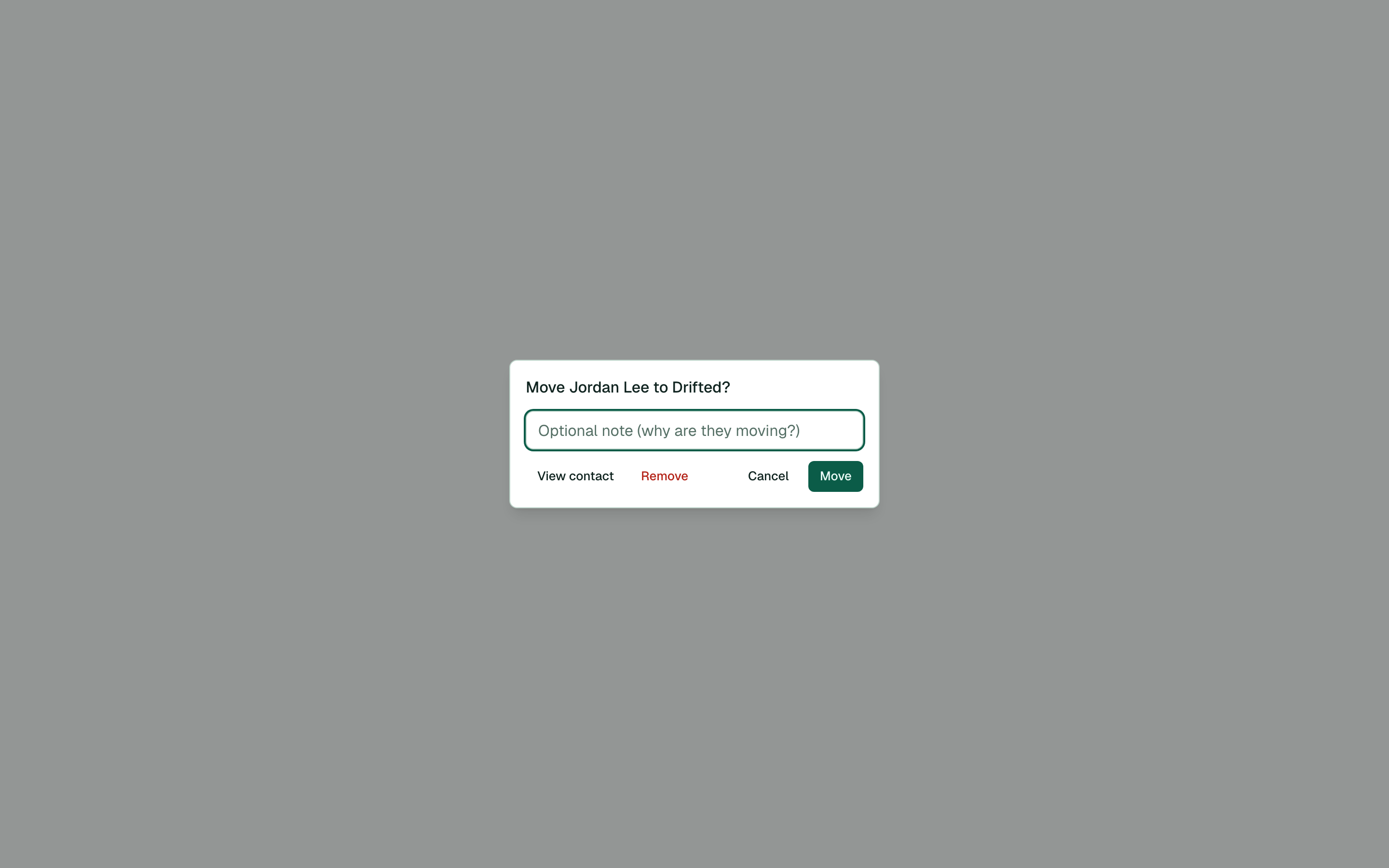
- Choose the destination stage. Add an optional note (for example why they moved), then select Move. Memlane records the move in the lane history.
- To drop someone from a lane only, open the move dialog and select Remove, or hover a contact on desktop and use the X control.
One contact can be in Friendship and Mentorship at the same time, each at a different stage. Switch lane tabs to manage each track.
See the Relationship Map for how people connect, and Contact profiles for contact details.