
Contact memories
Keep memories about a contact with a quiet quick add, categories, and optional happened dates.
Each contact page has Memories for notes and knowledge about that person. Defaults include Significant Experiences, Facts, Preferences, and Notes. You can add more categories.
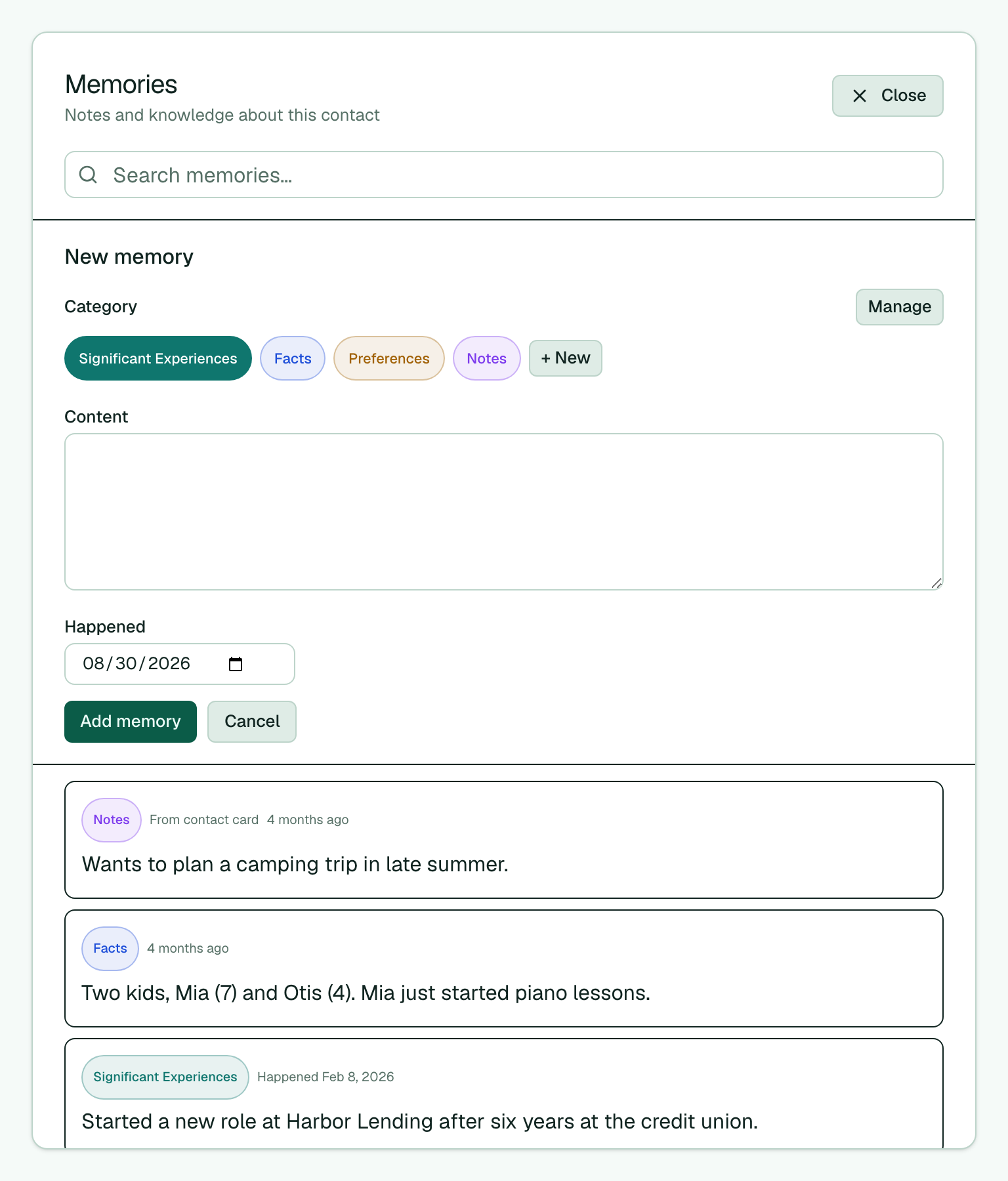
- Open a contact from Contacts or header search.
- In Memories, category chips stay above the field (default Facts — never silent Notes). Type a short note in Add a memory… and choose Add, or press Enter / keep typing for the larger editor. To edit address-book Notes, open the pinned Notes memory; do not create a second Notes entry when card notes already exist.
- For a longer note, press Enter or keep typing — the editor expands so you can pick a Category, set Happened when that category uses dates, and choose Add or Save.
- To change a memory later, open it, edit, and choose Save or Delete. After save or delete, the quiet one-line field returns.
- Tap the search icon for Search memories… to find text by body or category name.
- When the editor is open, choose Manage to rename categories, recolor them, toggle Happened date, or Delete unused ones. Use + New to add a category.
Memories tagged From contact card sync with the contact’s notes field in your address book when iCloud or Google Contacts is connected. You can edit them here, but you cannot delete or recategorize them. On Memlane Pro, Memlane also writes an AI Summary into that Notes field — see Contact AI summary. For a fast memory from the board, see Contacts board. Before a call or coffee, use Prepare for a sync-up to brief from these notes.